A discharge-lamp moving head that will not light mid-show is a different problem from one that never powers up at all — and the two faults live in entirely different parts of the fixture. This guide is the diagnostic sequence our service team runs on beam fixtures: three areas, thirteen steps, and a clear multimeter reading for each test point. With a standard multimeter and a screwdriver you can identify which board is at fault before deciding whether to repair or replace.
| Symptom | Most likely cause | Go to |
|---|---|---|
| Completely dead — no display, no fans | AC inlet or power supply | Part 1 |
| Powers up, but the fixture will not reset | Mainboard supply line | Part 2 |
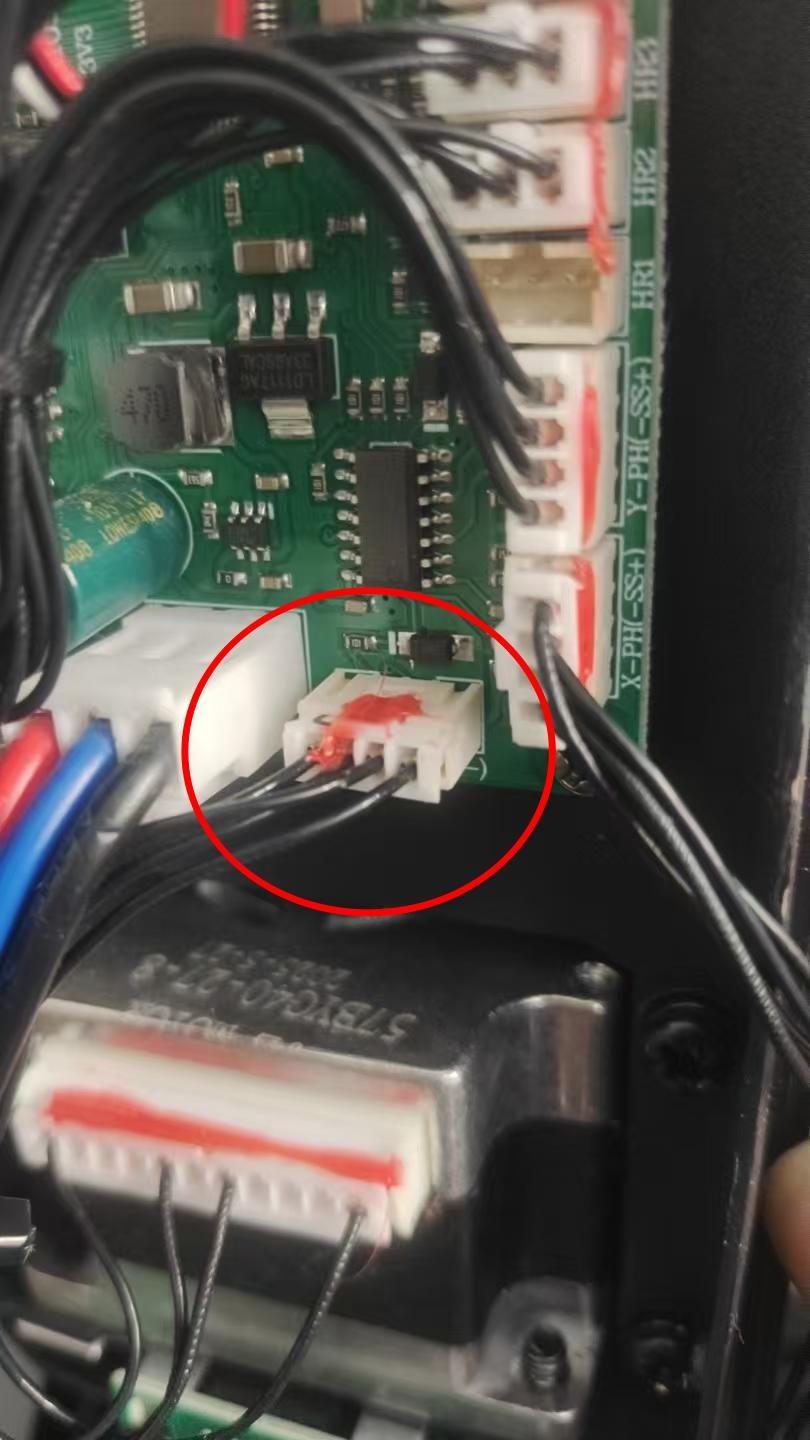
| Resets normally, but the display does not respond | Mainboard-to-display communication cable | Part 2 |
| Lamp will not strike at all | 380V not reaching the igniter, thermal switch open, or lamp end-of-life | Part 3 |
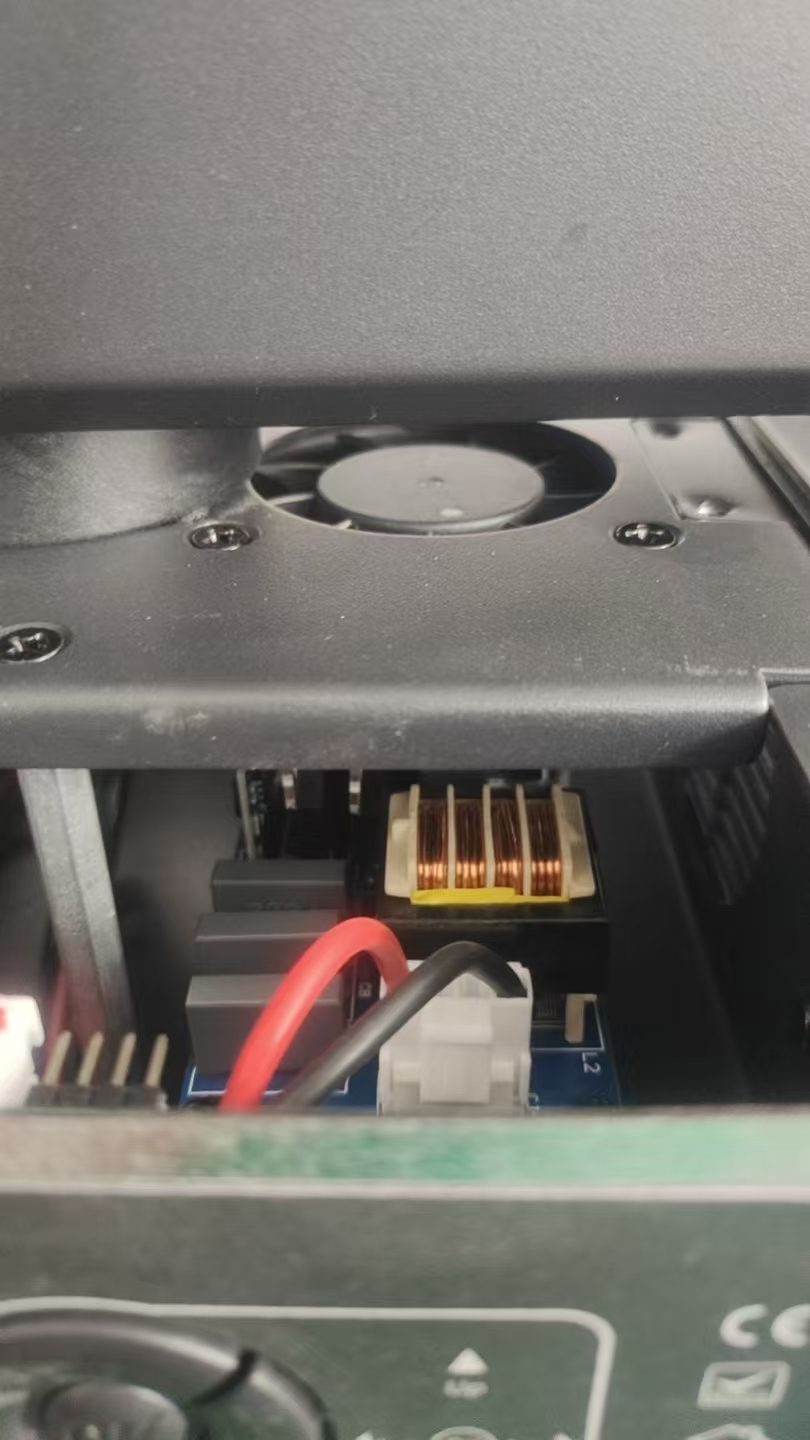
| Lamp strikes then goes out after a short time | Igniter cooling — fan stalled or vents blocked | Part 3, Step 1 |
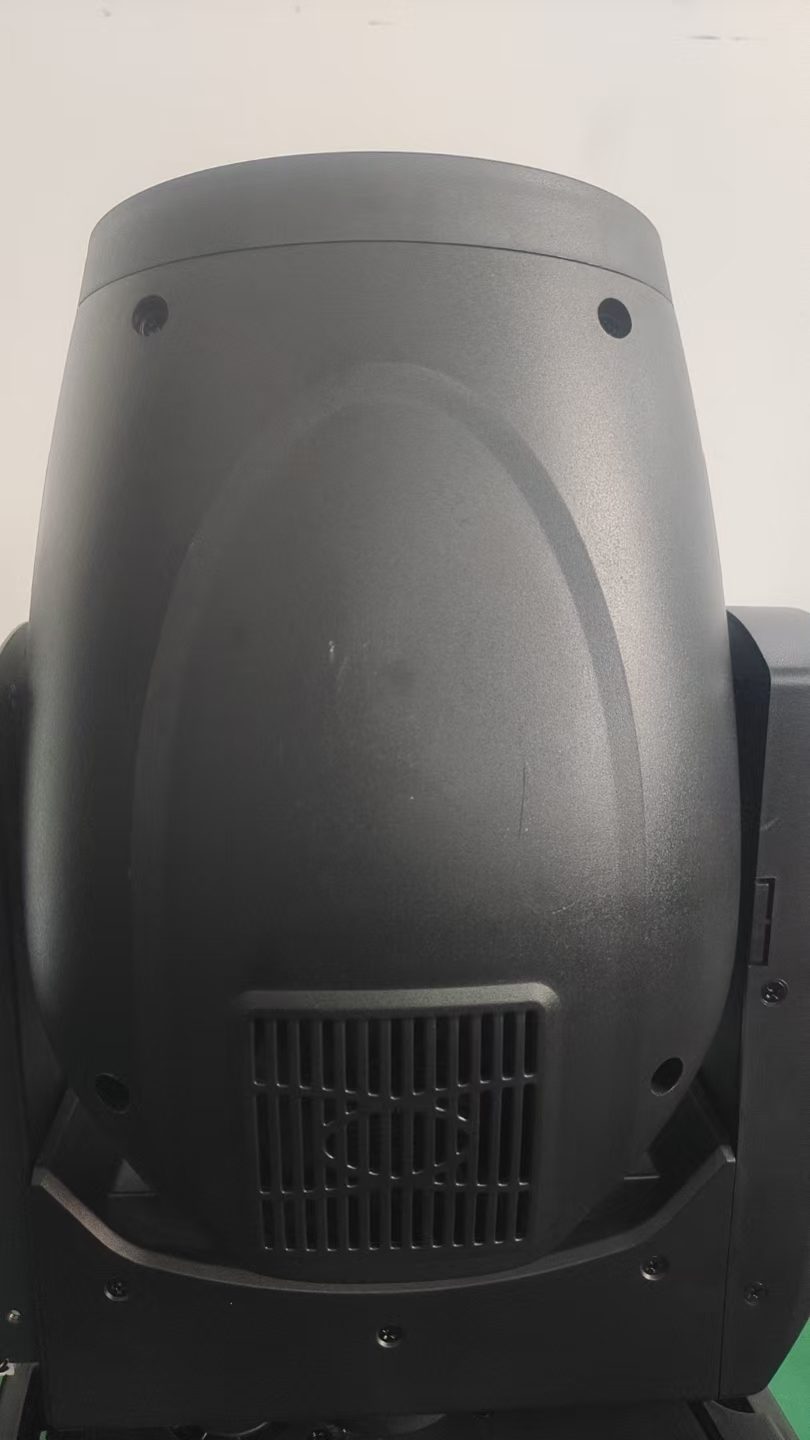
| Lamp extinguishes and relights on its own | Lamp cooling — fan stalled or vents blocked | Part 3, Step 2 |
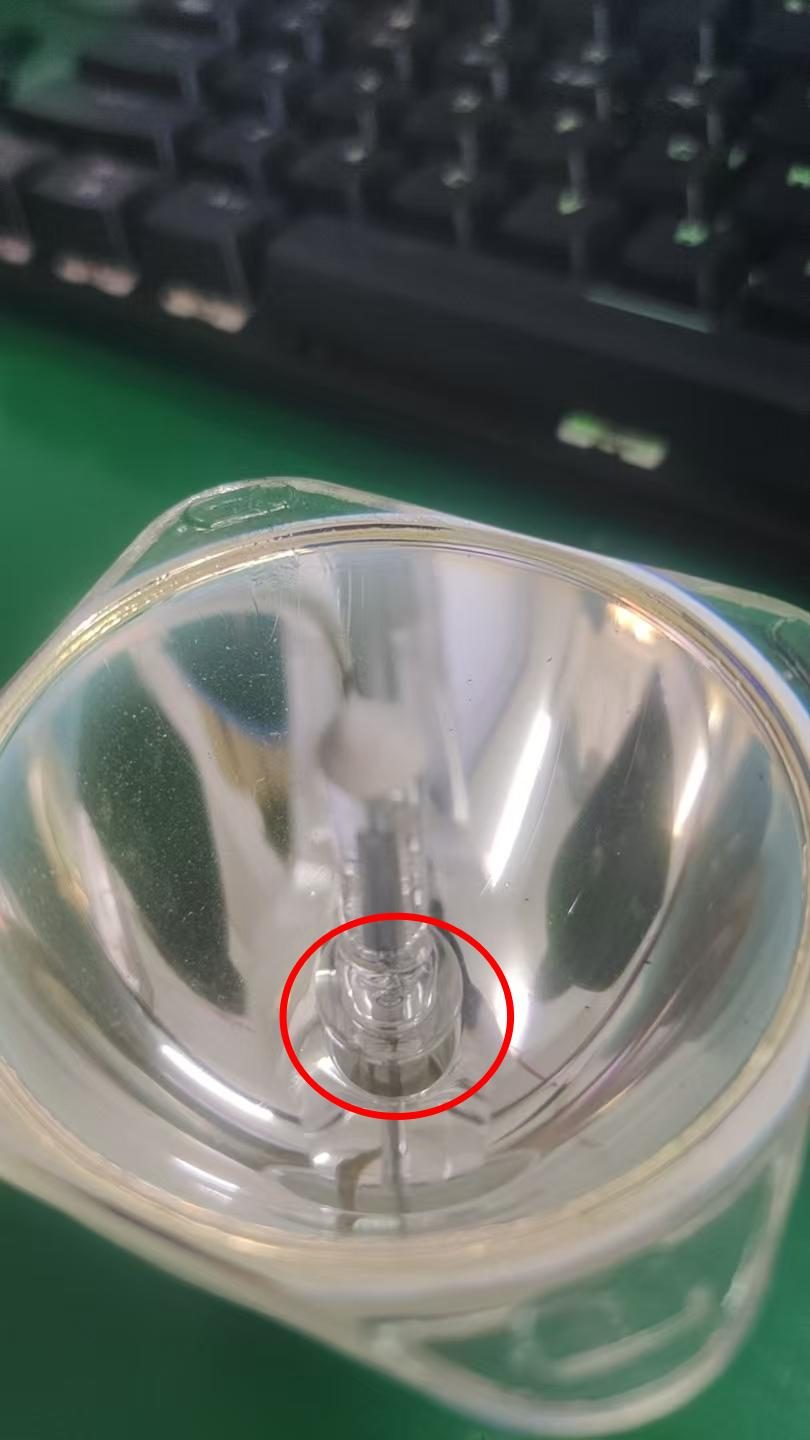
| Lamp core is whitened or blackened | Lamp at end of life | Part 3, Step 6 |
Safety first. Discharge lamps run on a high-voltage ignition pulse and the igniter circuit holds a DC 380V rail. Always isolate the fixture from mains and allow it to cool before opening the housing — lamp envelopes and igniters stay hot enough to burn long after shutdown. Never measure the ignition pulse itself with a standard multimeter. If you are not confident working around high-voltage lighting circuits, return the fixture to your supplier rather than opening it.
How a Discharge-Lamp Fixture Is Wired
Understanding the power path makes the diagnostics much faster, because it tells you which measurement rules out which board.
- Mains AC enters the power supply, which produces several separate output rails: 36V, 12V and a 380V rail dedicated to the lamp circuit.
- The 36V and 12V rails feed the mainboard, which in turn drives the motor driver board, the display board and the DMX interface.
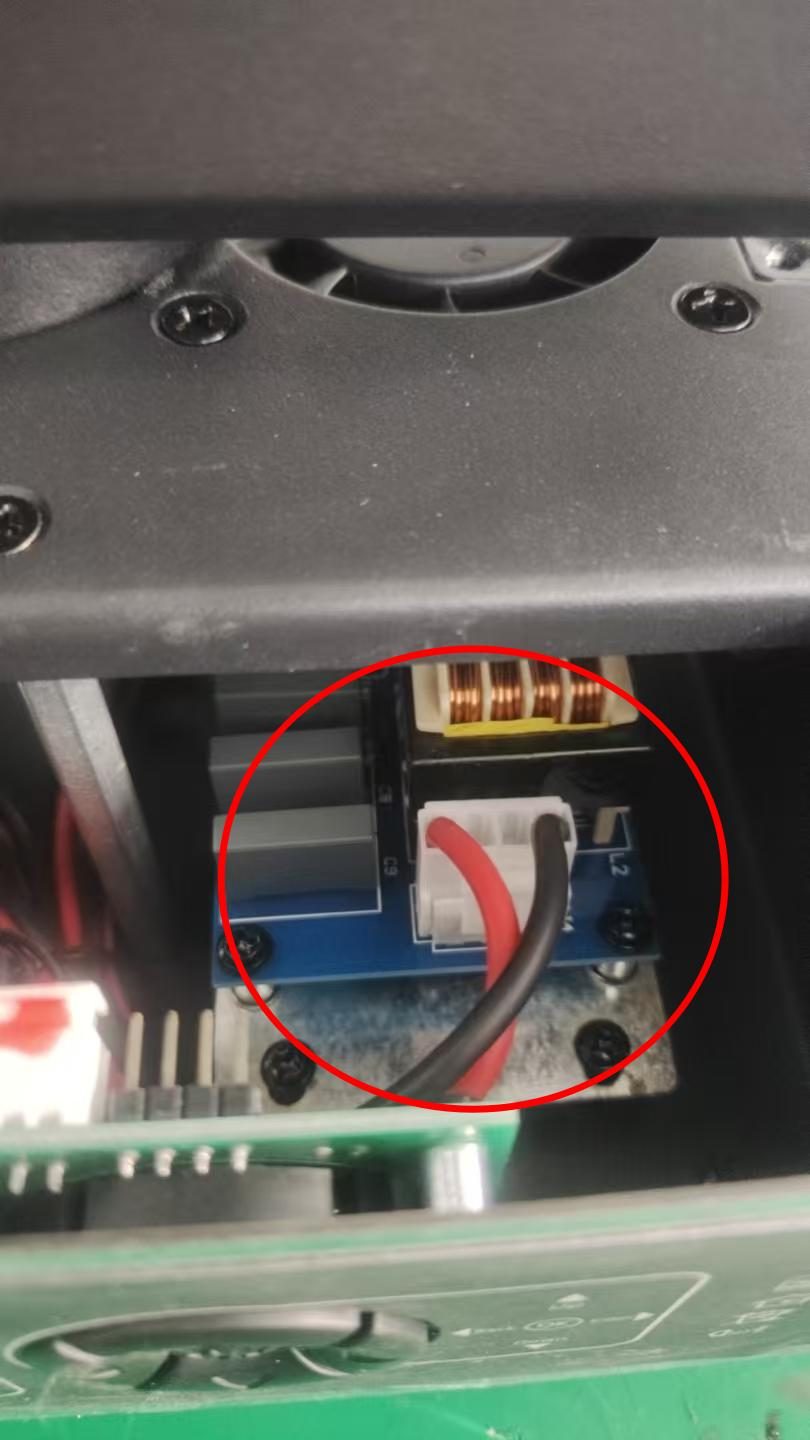
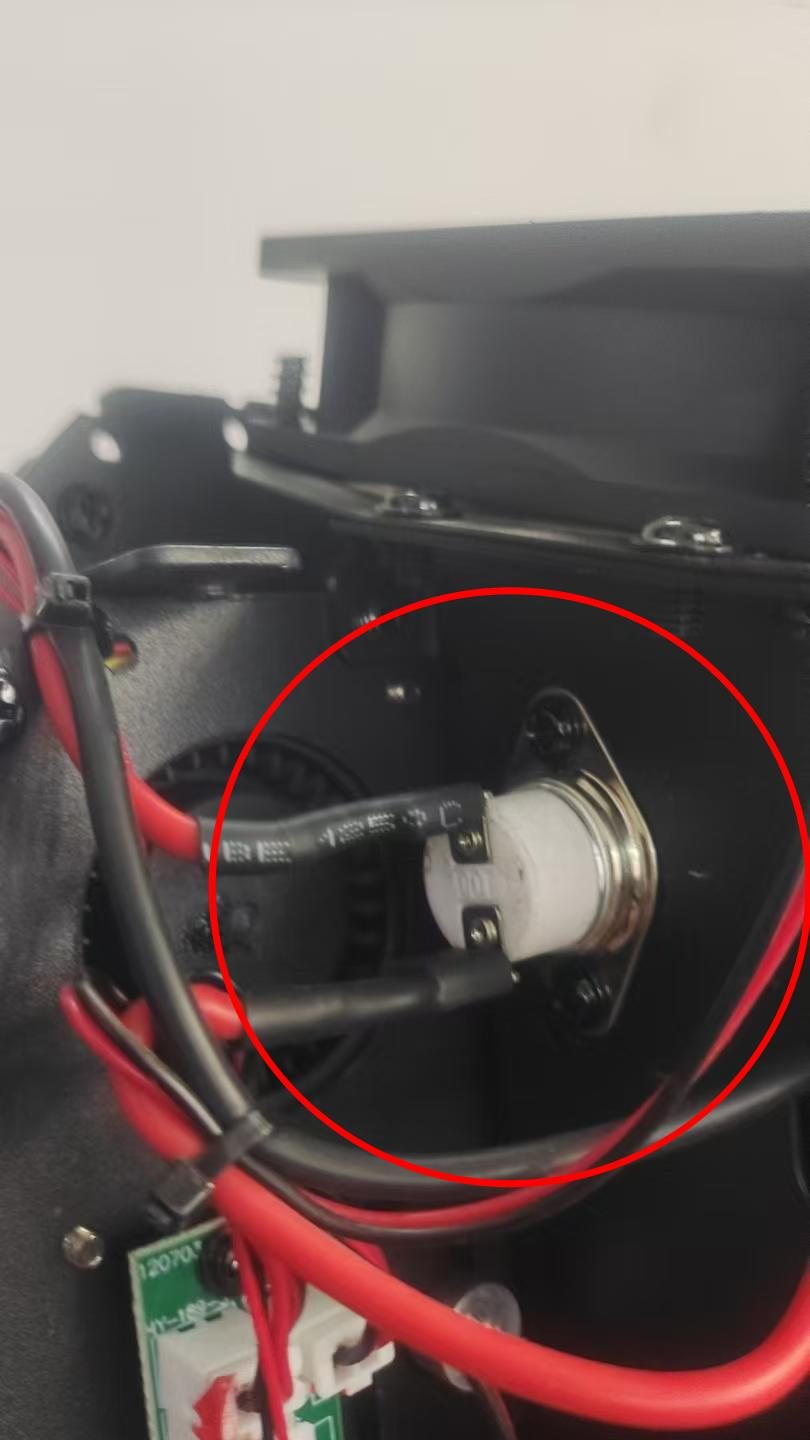
- The 380V rail feeds the igniter, whose only job is to strike the lamp. The igniter output goes through a 120°C thermal switch before reaching the lamp.
- The mainboard talks to the display board over a ribbon cable — a surprising number of "dead display" faults are this cable, not the display itself.
So the logic is simple: if there is no 36V/12V output, nothing downstream can work — mainboard faults are secondary. If the fixture resets but the lamp will not strike, the mainboard is fine and the fault is in the 380V lamp circuit, the igniter, the thermal switch or the lamp itself.
Part 1 — Power Supply Checks
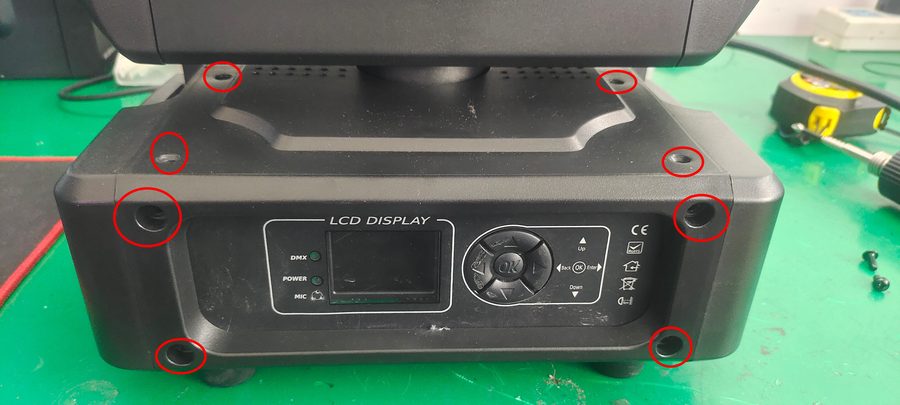
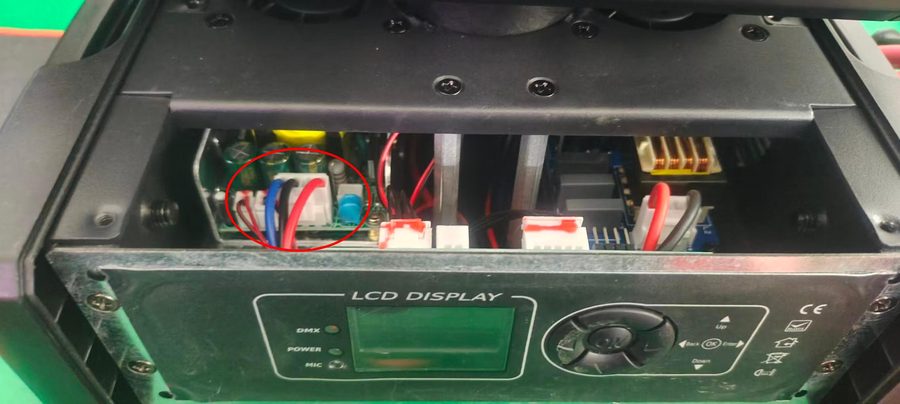
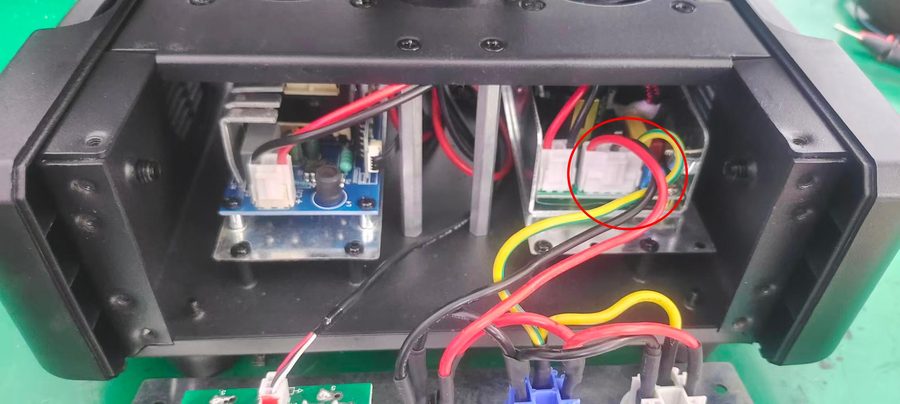
Part 2 — Mainboard and Display Board
Part 3 — The Lamp Will Not Strike
Multimeter Readings at a Glance
| Test point | Meter mode | Normal reading | What an abnormal reading means |
|---|---|---|---|
| Power output, red–black | DC volts | 36V | No reading → power supply damaged |
| Power output, blue–black | DC volts | 12V | No reading → power supply damaged |
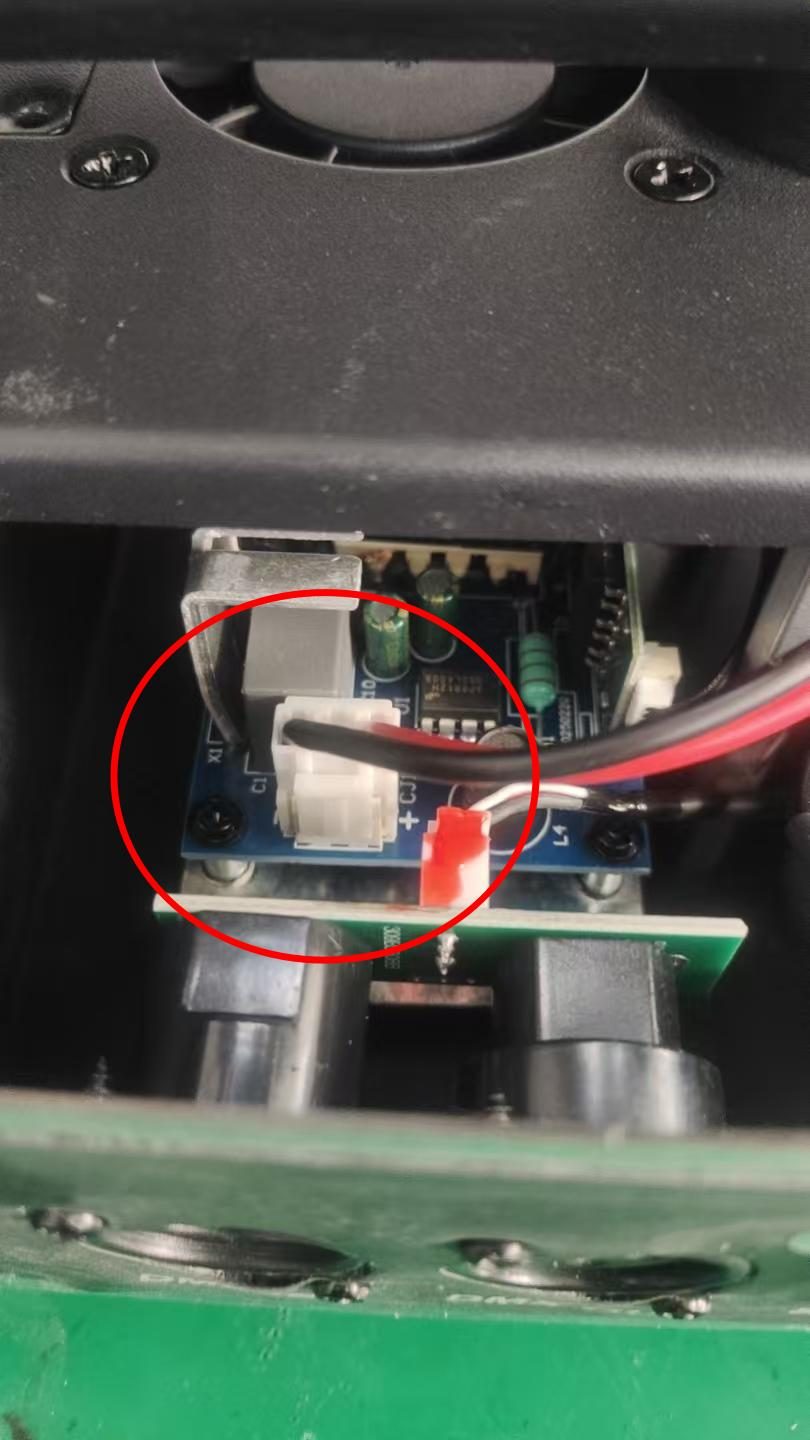
| AC inlet socket | Visual check | Fully seated | Loose inlet → "dead fixture" with no real fault |
| Igniter 380V input | Diode mode | Open circuit (no continuity) | Continuity → igniter input shorted; replace before fitting a new supply |
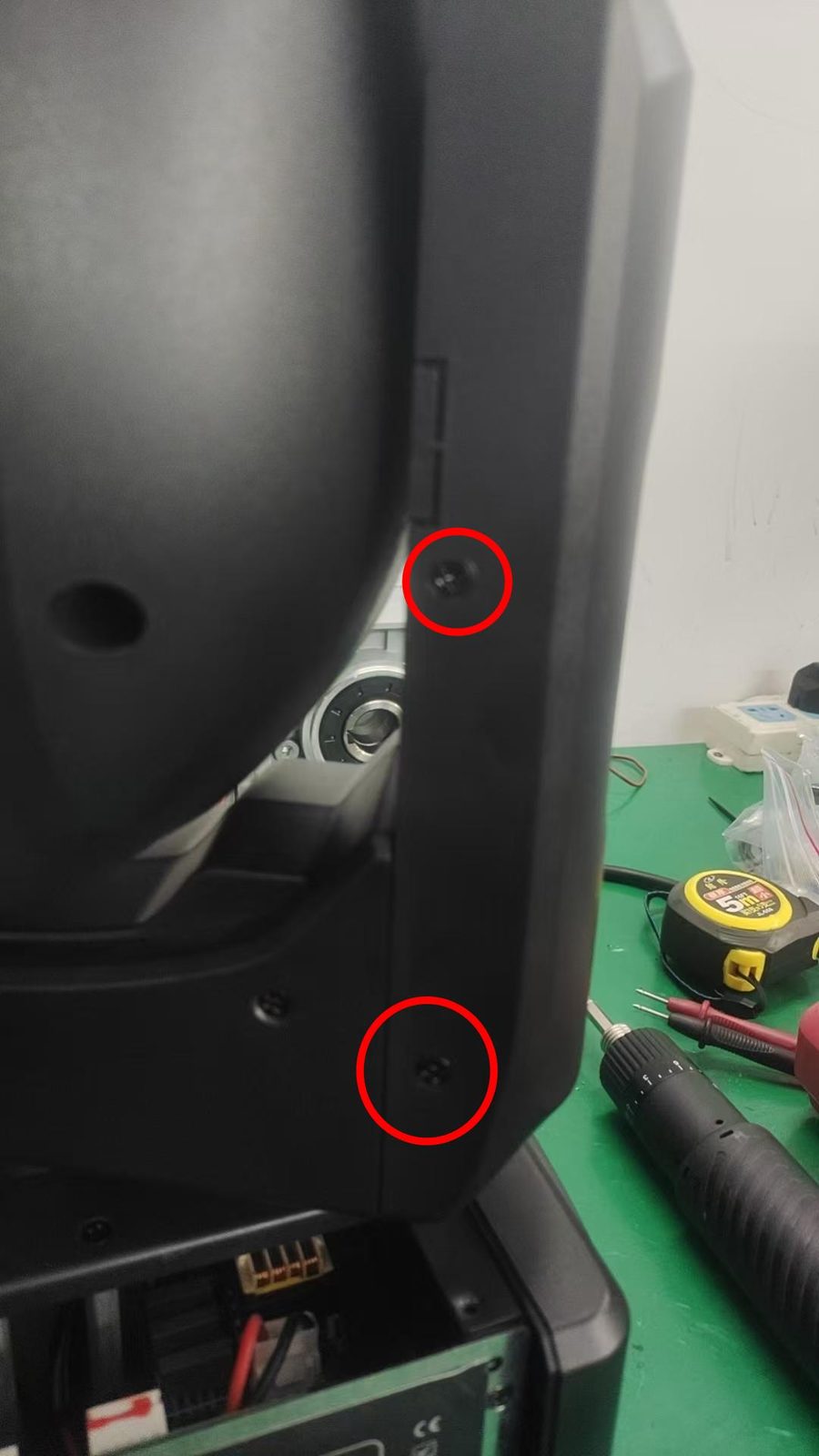
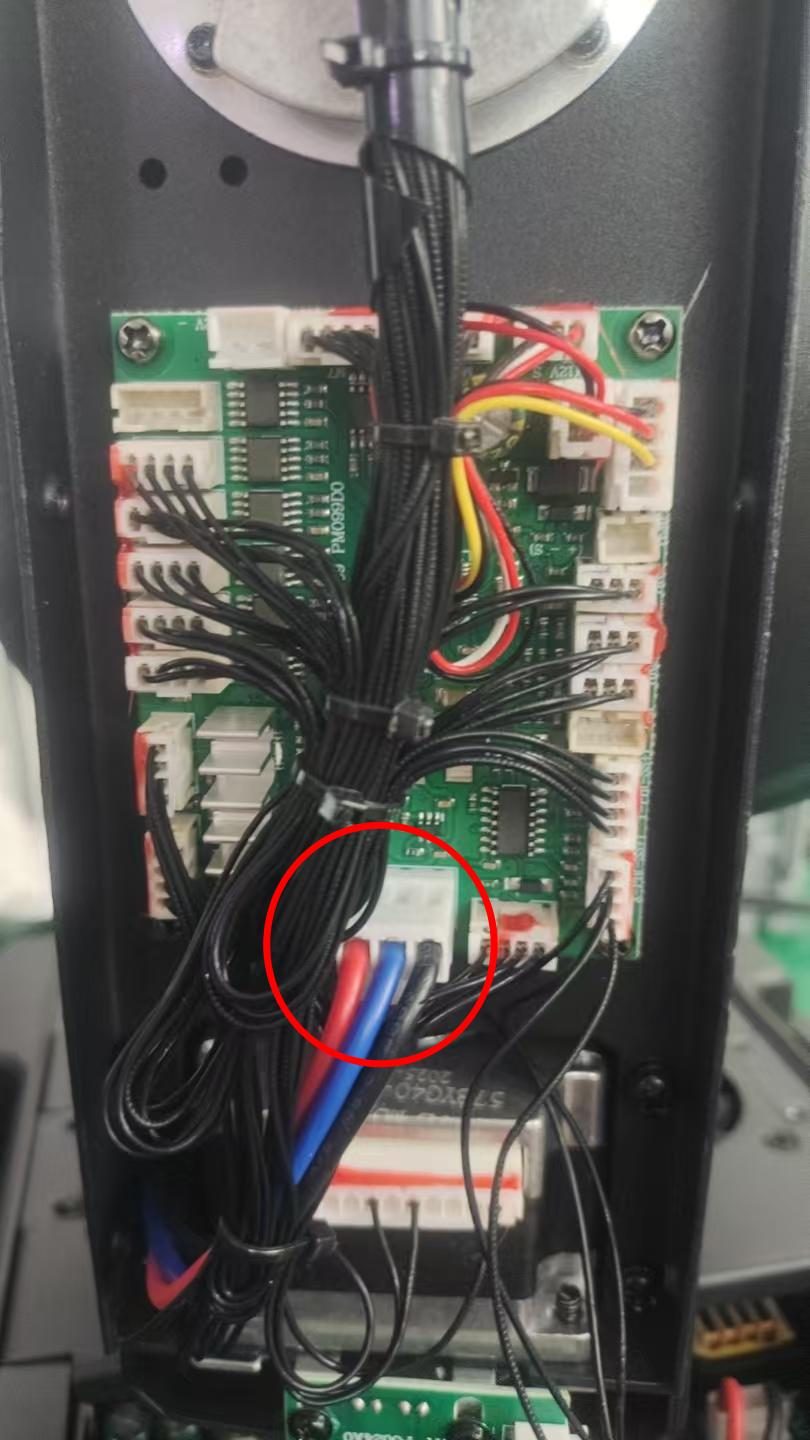
| Mainboard supply line | DC volts | 36V–12V present | No voltage → inspect supply line, not the board |
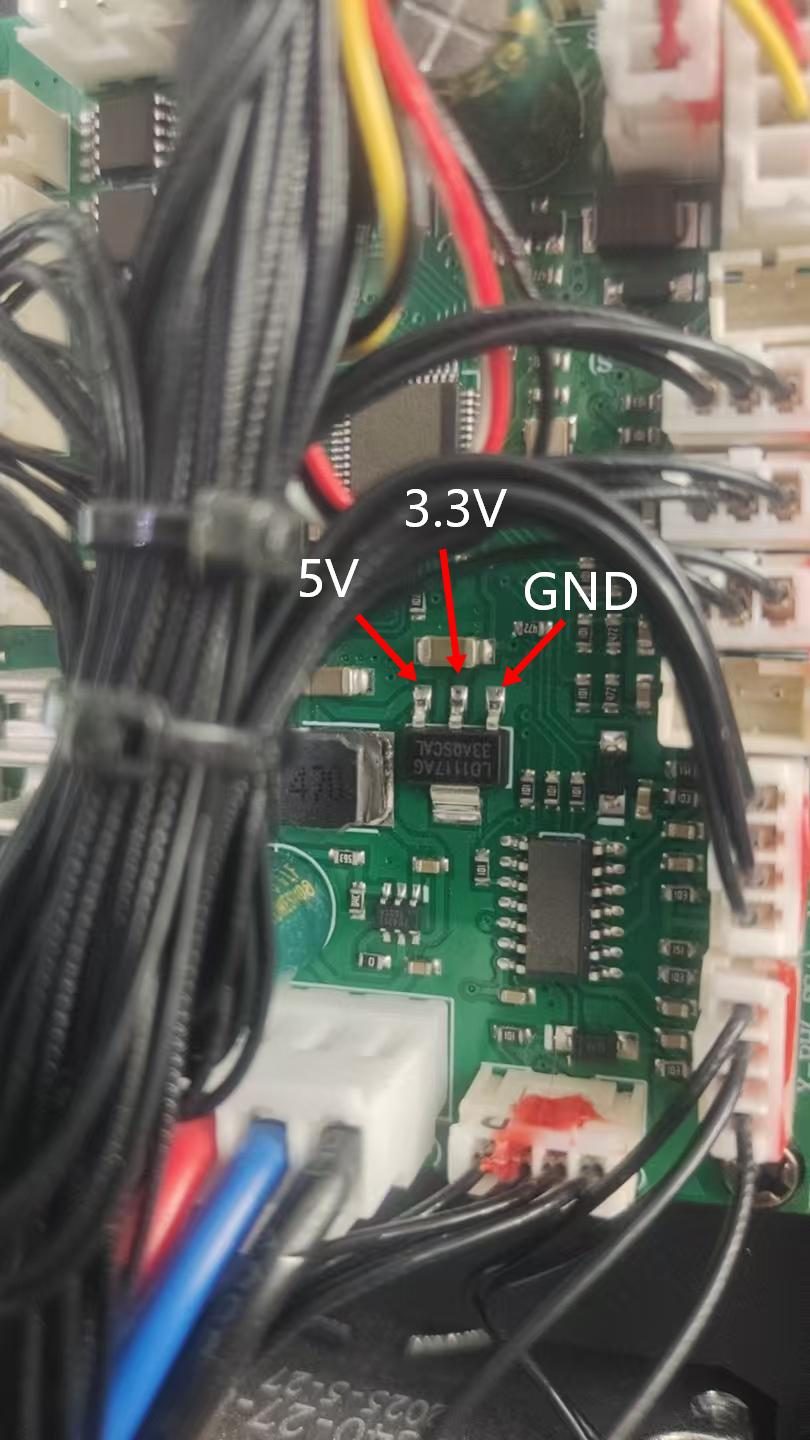
| Mainboard test points | DC volts | 5V and 3.3V present | Missing 5V or 3.3V → mainboard damaged |
| Igniter output at ignition | AC volts | Reading changes on strike | No change → igniter defective |
| 120°C thermal switch | Continuity / buzzer | Beep (closed circuit) | Silence → switch open, no power reaches the lamp |
Preventive Maintenance That Prevents Most of These Faults
Three of the thirteen steps above are cooling-related. That is not a coincidence — heat and dust cause more discharge-lamp failures than any electronic component.
- Clean the cooling paths on a schedule. Dust-blocked vents on the igniter or lamp housing produce exactly the symptoms in Step 1 and Step 2: a lamp that strikes then drops out, or one that cuts and relights on its own.
- Confirm both fans spin freely whenever the fixture is serviced. A fan that is slow, noisy or seized is a lamp failure waiting to happen.
- Replace lamps by hours, not by failure. A whitened or blackened core means output has already been degrading for some time. Track lamp hours and replace before the fixture goes out on show.
- Re-seat connectors after transport. Touring vibration loosens the mainboard-to-display ribbon cable and the supply connectors — the first thing to check when a fixture behaves erratically after a load-in.
- Inspect after any burnt supply. Step 4 exists because a shorted igniter input can destroy a replacement power supply. Always check the igniter before powering up with a new board.
When to Repair and When to Send It Back
These checks are designed to be done by a technician at the venue with basic tools. But some outcomes should end the diagnosis rather than extend it:
- Confirmed mainboard failure. If 5V or 3.3V is absent with a good supply, the board needs replacement rather than field repair.
- Shorted igniter input. The igniter must be replaced — and the power supply re-checked before both are refitted.
- Physical damage to the lamp circuit. Cracked lamp envelopes, burnt contacts or heat-discoloured wiring indicate the fixture should be inspected by the manufacturer before it goes back on show.
- Anything you are unsure about. High-voltage lamp circuits are not a place to guess. Send us the fixture details and the readings you measured, and we will advise on the specific board or part.
Frequently Asked Questions
My beam fixture is completely dead. Where do I start?
Start at the AC input (Part 1, Step 3), then measure the supply outputs (Step 2). If neither 36V nor 12V is present, the power supply has failed. Before fitting a replacement, run the diode-mode test on the igniter input from Step 4 — a shorted igniter will damage the new supply.
The lamp strikes and then goes out a few minutes later. Why?
That is the classic signature of poor igniter cooling. Check the igniter fan and its vents first (Part 3, Step 1). If the fan runs freely and the vents are clear, move on to the 380V supply and the igniter output tests.
The lamp switches itself off and then relights without help. Is that the same fault?
Not quite. That behaviour points at the lamp's own cooling path rather than the igniter's — check the lamp fan and housing vents (Part 3, Step 2). Both symptoms are thermal, but they implicate different fans.
My fixture resets normally but the display shows nothing. Is the display broken?
Usually not. Check the communication cable between the mainboard and the display board before replacing either board (Part 2, Step 4). On a fixture that has been transported recently, a re-seated ribbon cable often resolves it.
How do I know if the lamp itself or the igniter is at fault?
Separate them in two measurements. If the igniter has no 380V input, the fault is upstream (supply line or power supply). If 380V is present but the igniter output shows no change at the moment of ignition, the igniter is defective. If the igniter is working and the lamp still will not light, inspect the bulb core (Step 6) and the thermal switch (Step 5).
What does the 120°C thermal switch do?
It is a safety device in the lamp circuit. If it opens, no power can reach the lamp and the fixture will appear to have an ignition fault. Test it in continuity mode — a healthy switch beeps; silence means it has opened and needs replacement.
Do these steps apply to every discharge-lamp fixture?
The general sequence — supply rails first, then mainboard, then the 380V lamp circuit — applies across this class of fixture. Test point locations, voltage rails and board layouts vary between models, so always confirm against the datasheet for your specific model before opening the housing.
Need Service Support?
This guide covers our discharge-lamp beam series. If you have measured the values above and still have an open fault, send us the model, the readings and a photo of the board — our technical team will tell you which part to replace rather than guess at a whole-fixture swap.
Technical support and spare parts for discharge-lamp beam fixtures. Send your model number and the measurements you recorded, and we will pinpoint the faulty board or component.