Whether a stage lighting rig runs reliably usually depends less on how expensive the fixtures are, and more on whether the invisible chain of console, network and signal is built correctly. This article walks through the core equipment and accessories of a stage lighting system, how the system is wired, how DMX channel counts are calculated and selected, and how to size the low-voltage (signal) equipment in real projects — so that contractors, lighting designers and venue owners get the configuration right from day one.
1. What's Inside the System
A complete stage lighting system consists of four layers: control equipment, transmission equipment, accessories and fixtures. The first three layers are collectively known as the low-voltage system — and they are also where quoting and installation problems most often occur.
1.1 Lighting Console
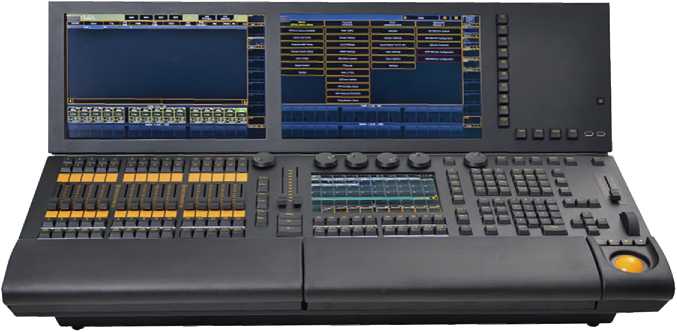
The lighting console is the brain of the system — every programming command sent to a fixture originates here. Three brands dominate the Chinese market: MA, Titan (Tiger) and KingKong. All three can program and playback, but they differ significantly in openness, patching convenience and price, and the choice often determines how well multi-channel fixtures perform later on.
 MA console | 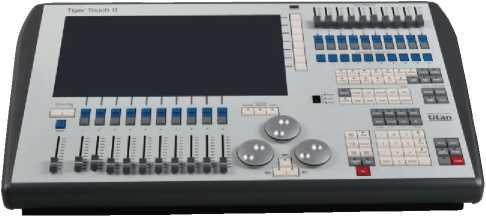 Titan console | 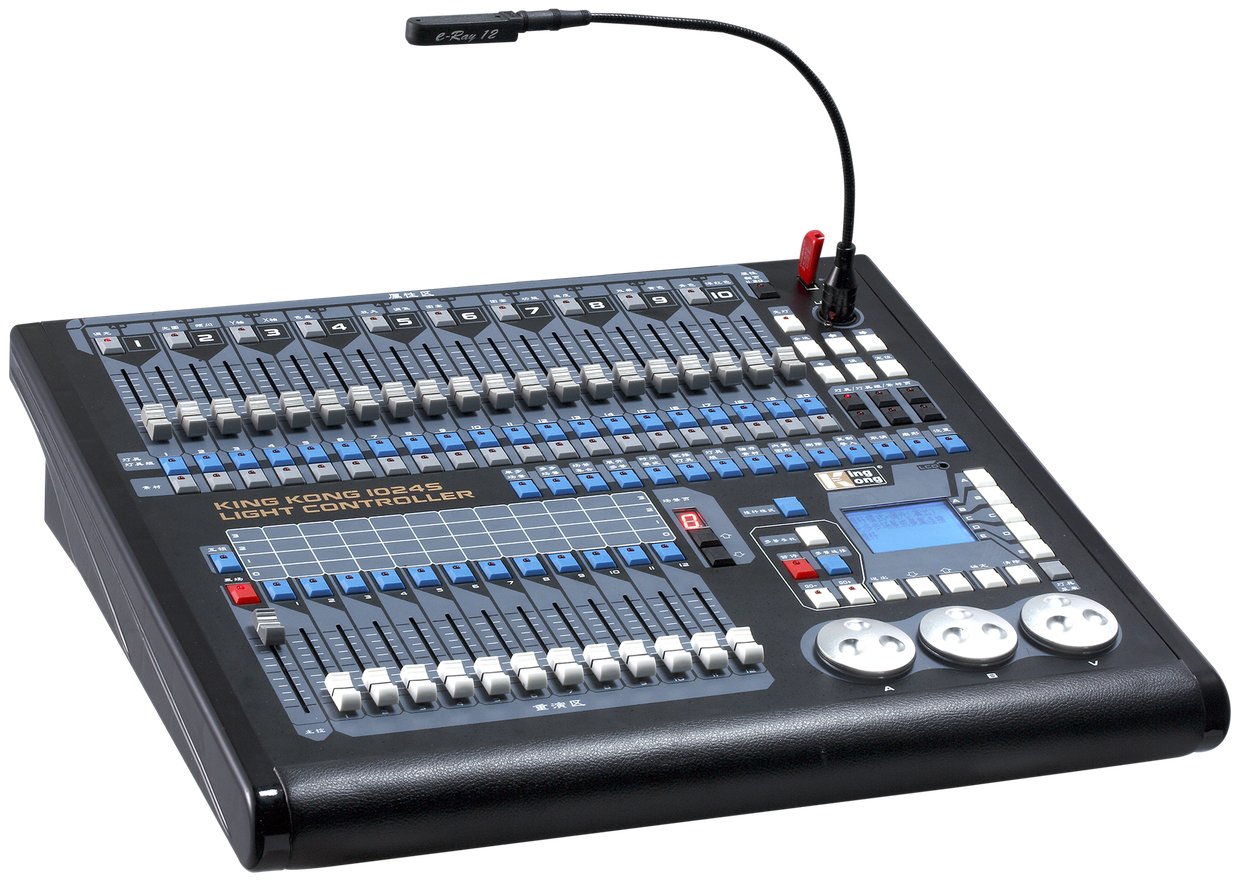 KingKong console |
1.2 Network Expanders (NPU / TNP / Standard)
NPU, TNP and standard network expanders are essentially the same class of device: they all convert network lighting data into DMX512 signal. The difference is that the NPU (paired with MA consoles) and the TNP (Titan system) have their own processing power. When a venue runs several hundred fixtures, NPU/TNP-class devices are required — a standard expander cannot handle the load.
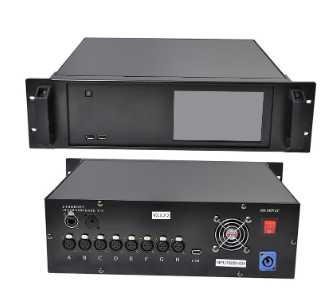 NPU (for MA consoles) | 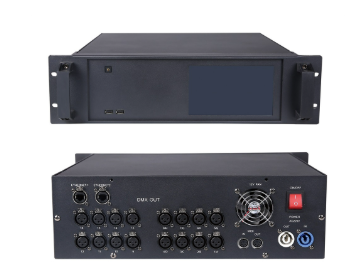 TNP (Titan system) | 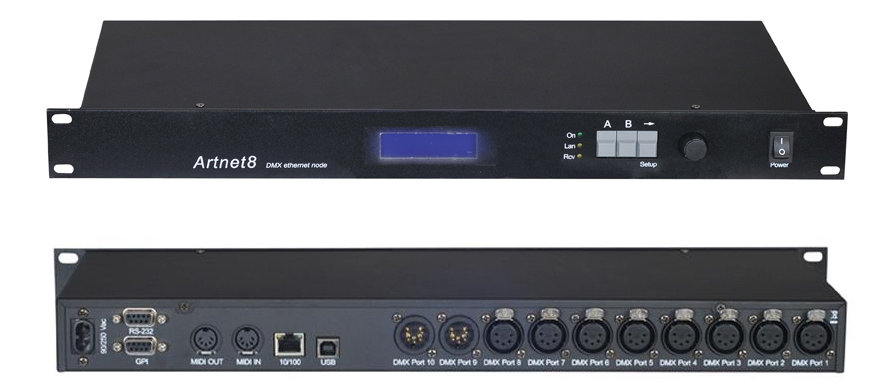 Standard network expander |
1.3 Signal Amplifier / Splitter
A signal amplifier does three jobs: amplification and repeater extension — one unit boosts the signal effectively for about 150 m, beyond which another unit is needed; distribution — one input, multiple outputs; and galvanic isolation — a must-have on site, because ground-potential differences between devices can cause interference or even damage.
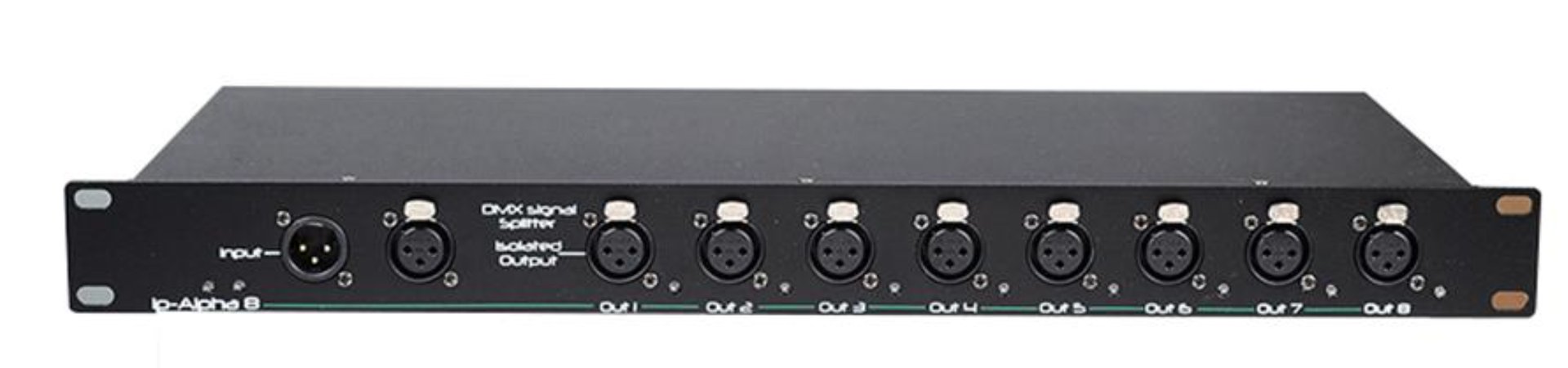
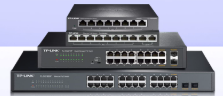
1.4 Network Switch
A network switch provides multiple network outputs — a 12-port switch has twelve of them. Its job is to fan the console's single network port out into multiple network runs, feeding the network expanders. How many ports you need depends on the number of expanders.
1.5 Smart Playback Host
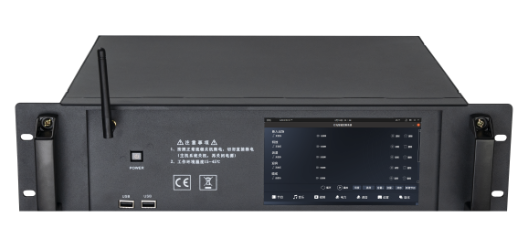
The smart playback host stores and releases console signals: it records the DMX512 output of the console over a period of time, then replays it directly from a tablet or the unit itself — no console needed. Ideal for residencies and daily operation.
1.6 Accessories: Power Cable, DMX Cable and Jumpers
Accessories look insignificant, but they determine on-site installation efficiency and reliability.
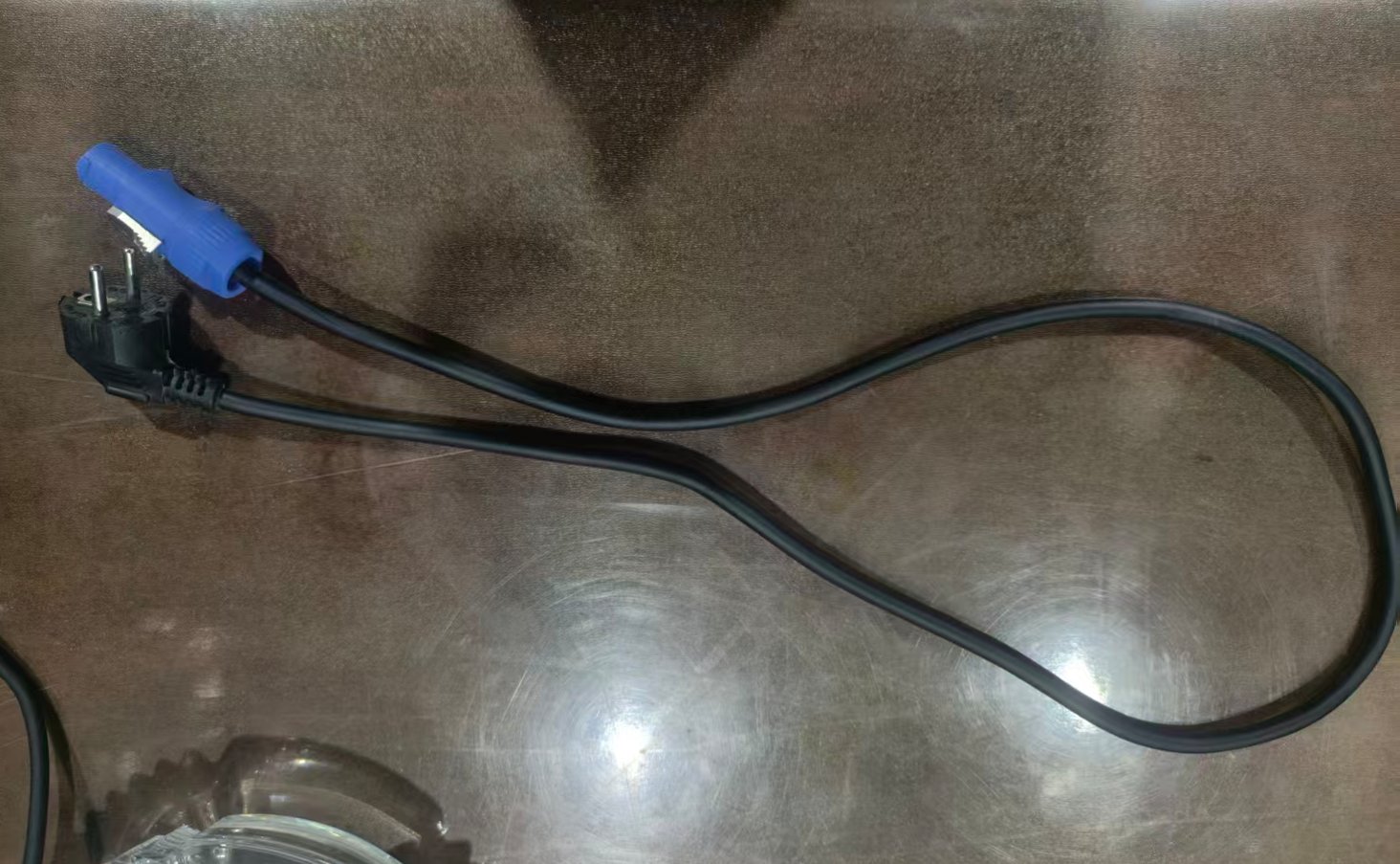 Standard 1.2 m · 1.5 mm² power cable (EU plug) | 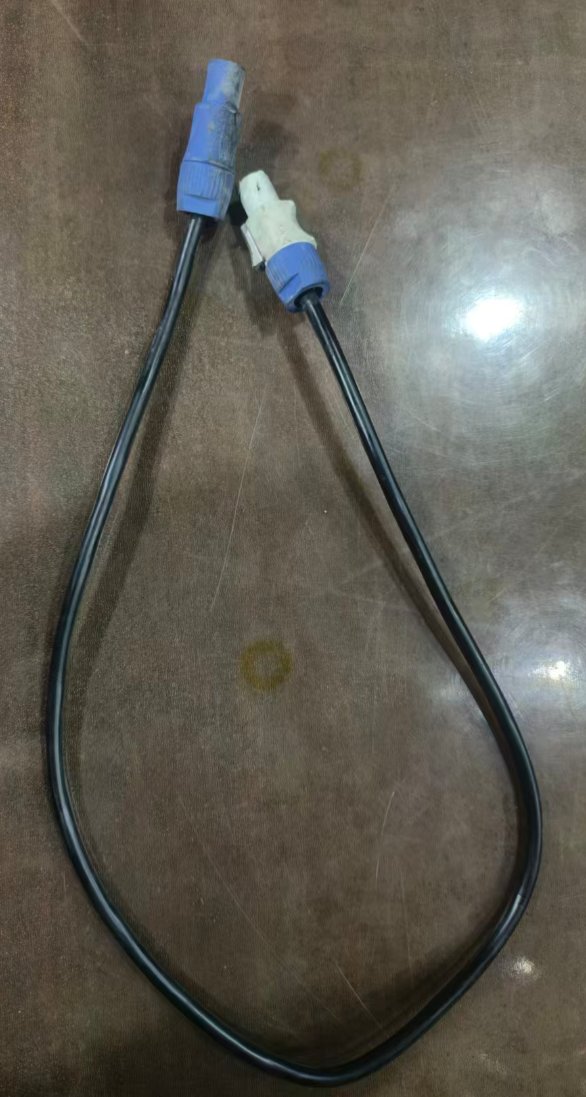 Blue/white connector power cable (field-cuttable) | 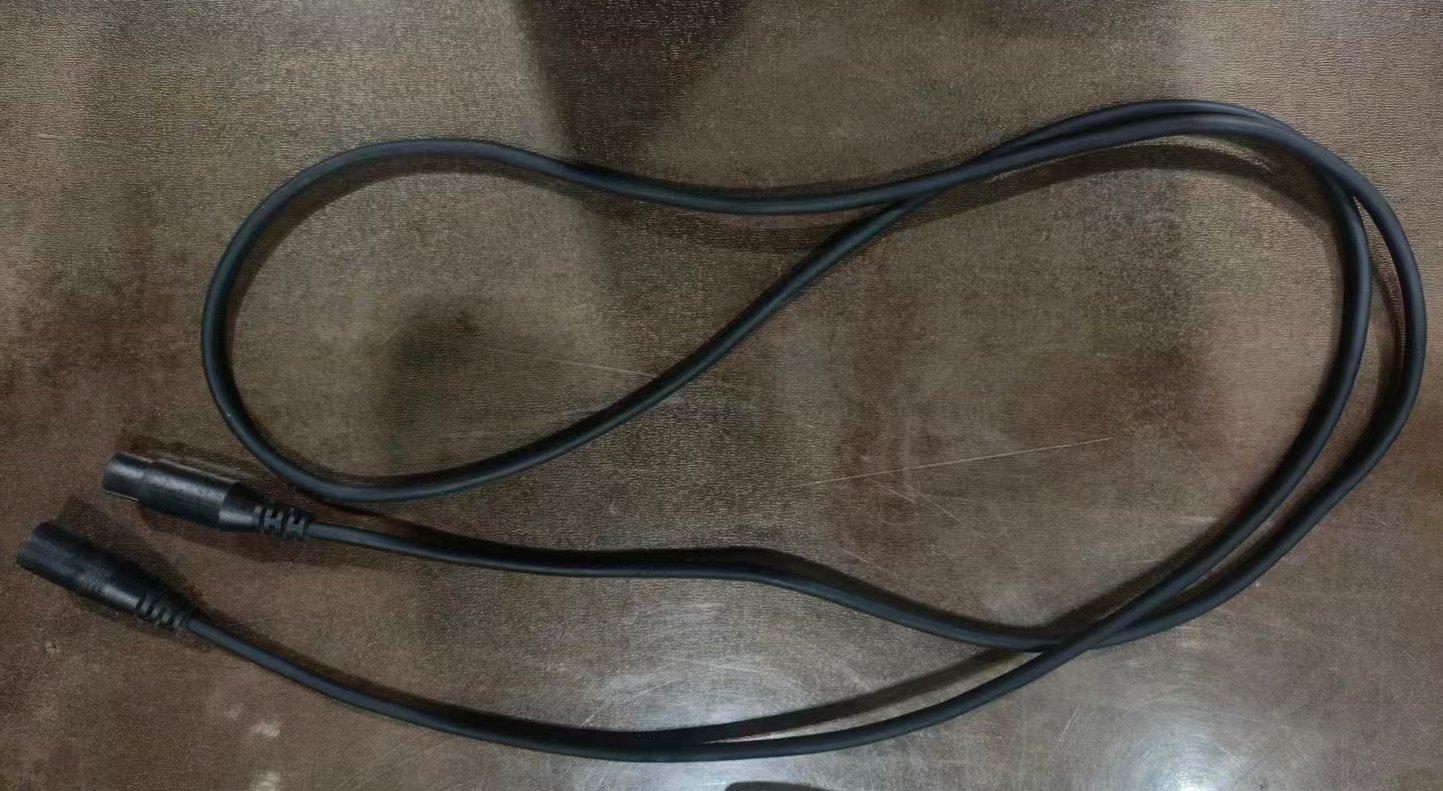 Standard 1.2 m DMX512 cable (XLR) |
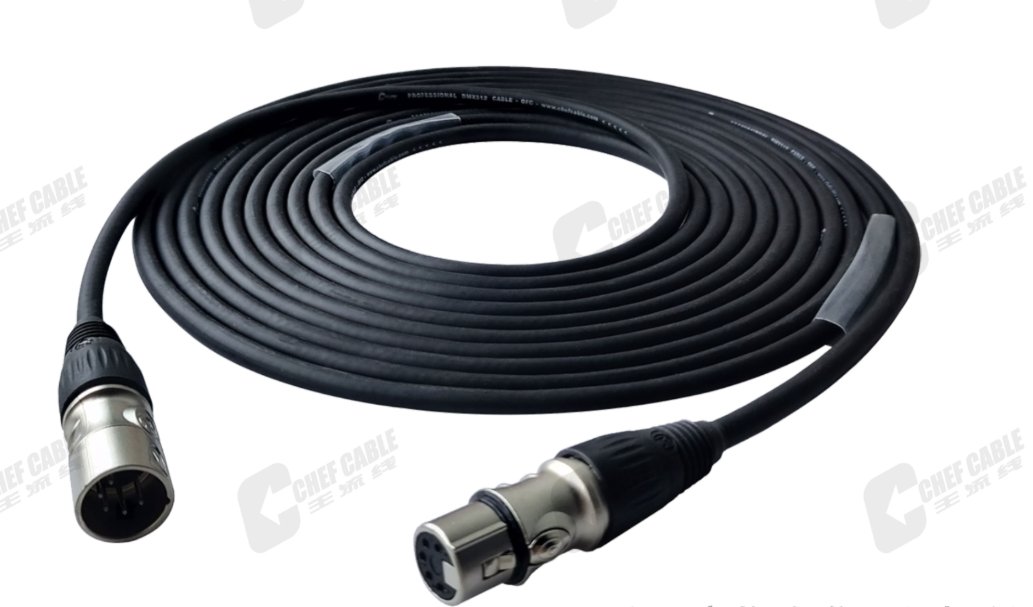
| Accessory | Spec & purpose |
|---|---|
| Standard power cable | 1.2 m, 1.5 mm² (EU plug) or 1.2 m, 1.5 mm² (blue/white connector). One per fixture, but only 1.2 m long |
| Blue/white connector | For a 30 m fixture-to-amplifier run, installers cut cable from a bulk roll and crimp blue/white connectors on both ends |
| DMX512 cable | Standard 1.2 m with XLR connectors, swappable just like the power cable |
| Jumper | Same as standard cable, but cut to the fixture spacing on the wiring plan (commonly 2 m, 5 m). Pre-made jumpers let installers connect fixtures directly |
Why 512? One DMX line controls at most 512 independent channels. The number comes from the USITT standard of 1986 — at the time, 512 was the practical ceiling that moved lights smoothly without smearing.
2. How the System Is Wired
2.1 The Standard Chain
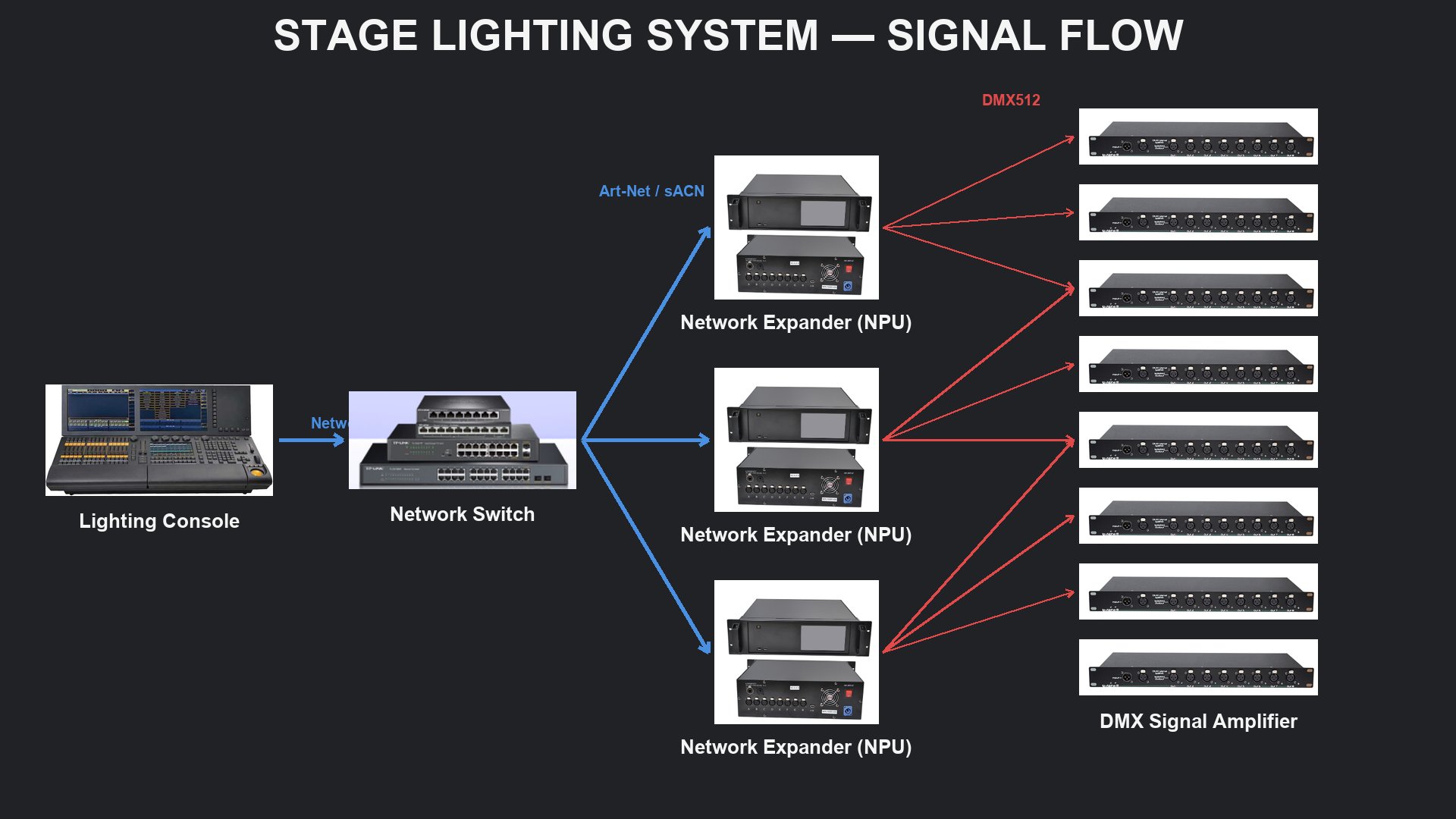
A typical stage lighting system is wired as: console → (network) → network switch → (network) → network expander (NPU/TNP) → (DMX) → signal amplifier → (DMX) → fixtures. The network segments carry network data; the signal segments carry DMX512. Every link in this chain has a hard capacity limit, and understanding those limits is the prerequisite for any sizing calculation.
Console ▸ Network switch ▸ Network expander ▸ Signal amplifier ▸ Fixtures
2.2 The Console's Output Limit: Universes
MA console: 1-in/1-out network ports + 6 DMX512 outputs = 6 universes. Titan console: 1 network output + 8 DMX512 outputs = 8 universes.
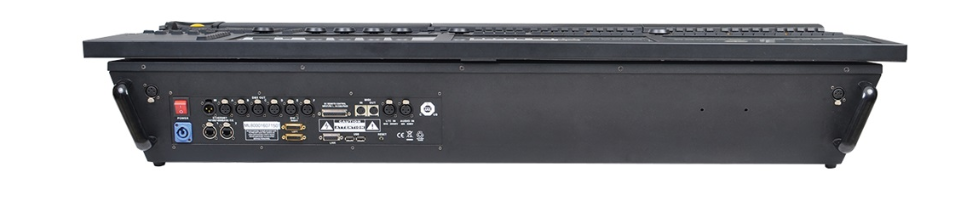 MA console output panel | 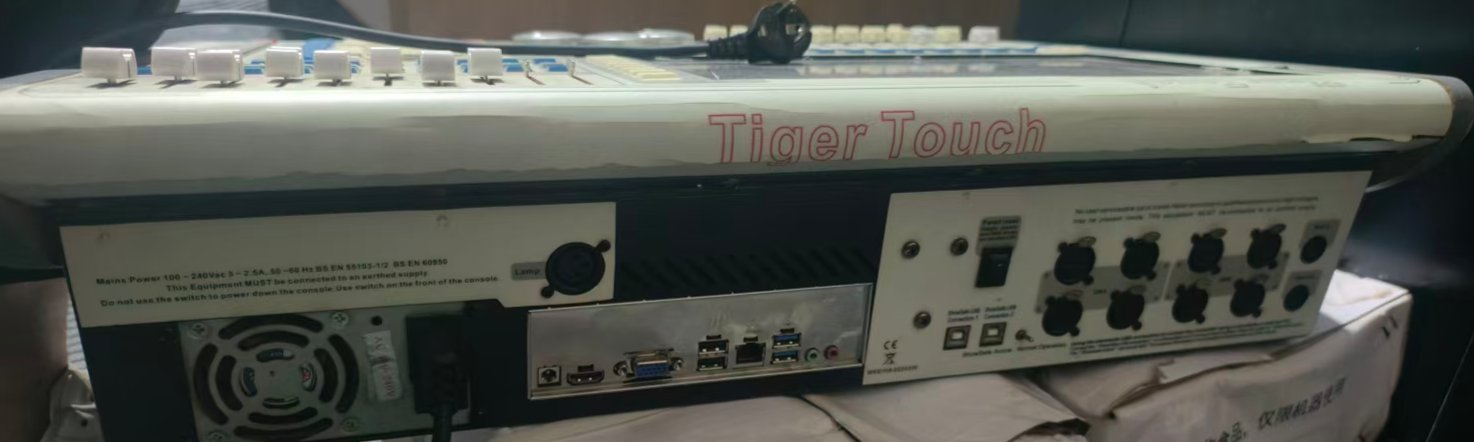 Titan console output panel |
2.3 Network Expanders: Adding Universes
- NPU: 8 universes out
- TNP: 16 universes out
- Standard expander: 8 universes out
For large concerts and clubs, the console's built-in universes are far from enough — network expanders raise the ceiling: each expander adds 8 universes; buy as many as you need. All of these devices have network in/out ports for cascading.
2.4 Signal Amplifier: Amplifies Only, Never Expands
This is the most common confusion. Although an amplifier has 8 DMX512 outputs, those 8 ports together must not exceed one universe of output — it simply splits 512 channels into 8 shares. One-line rule: the network expander adds universes; the signal amplifier only adds physical cable runs.
2.5 A Common Waste: Idle Universes
A typical mistake: one NPU offers 8 universes, but only 3 amplifiers are connected — 5 universes sit idle. Money spent, capability unused. A well-designed system diagram starts from the total channel count and fixture layout, then works backwards to universes, expanders and amplifiers, making sure all 8 universes of every expander are used.
3. Calculating and Choosing Fixture Channel Counts
3.1 How Many Fixtures Fit in One Universe
One universe holds only 512 channels, so a fixture's channel count directly determines how many units one universe can carry. The same fixture in different channel modes can vary more than 6× in per-universe capacity — which is why choosing the channel mode is a design-stage decision, not an afterthought.
| Fixture | Channel mode | Units per universe |
|---|---|---|
| 380 moving beam | 16 CH | 32 units |
| 12×60W Kwan-yin beam | 170 CH | 3 units |
| 12×60W Kwan-yin beam | 101 CH | 4 units |
| 12×60W Kwan-yin beam | 26 CH | 19 units |
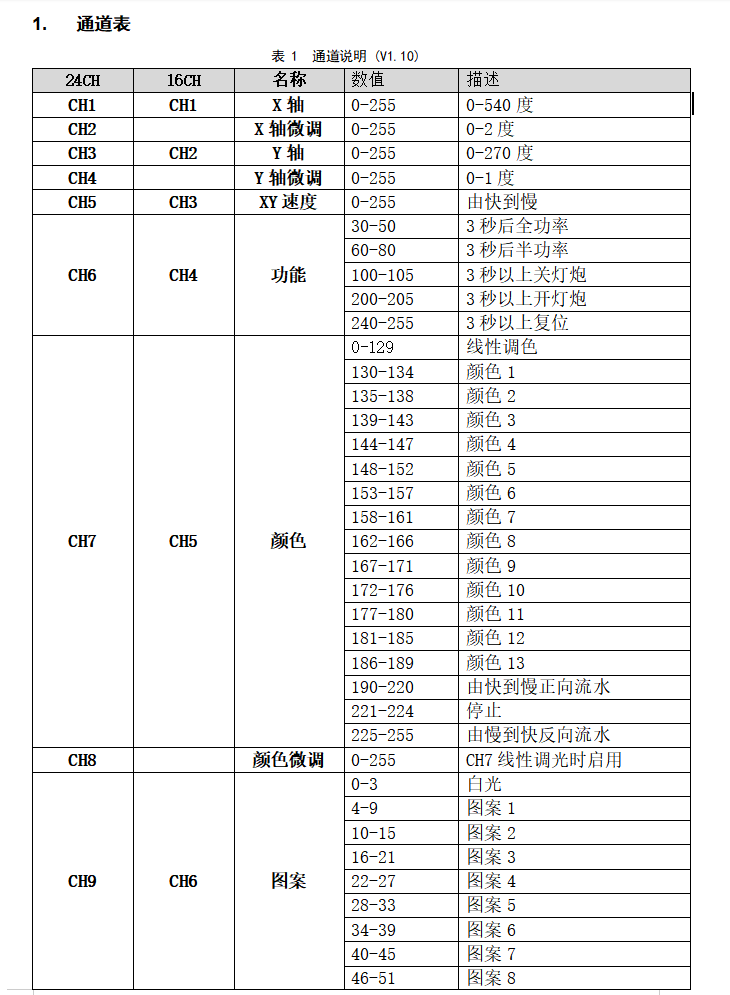
3.2 Multi-Channel Fixtures Are Everywhere Now
Starting with strobes, multi-channel fixtures have proliferated: moving beams, bee-eye lights, 8+8 strobes, RGB linear strobes, rattlesnake bars and more — each offering multiple channel modes from a dozen to over a hundred channels.
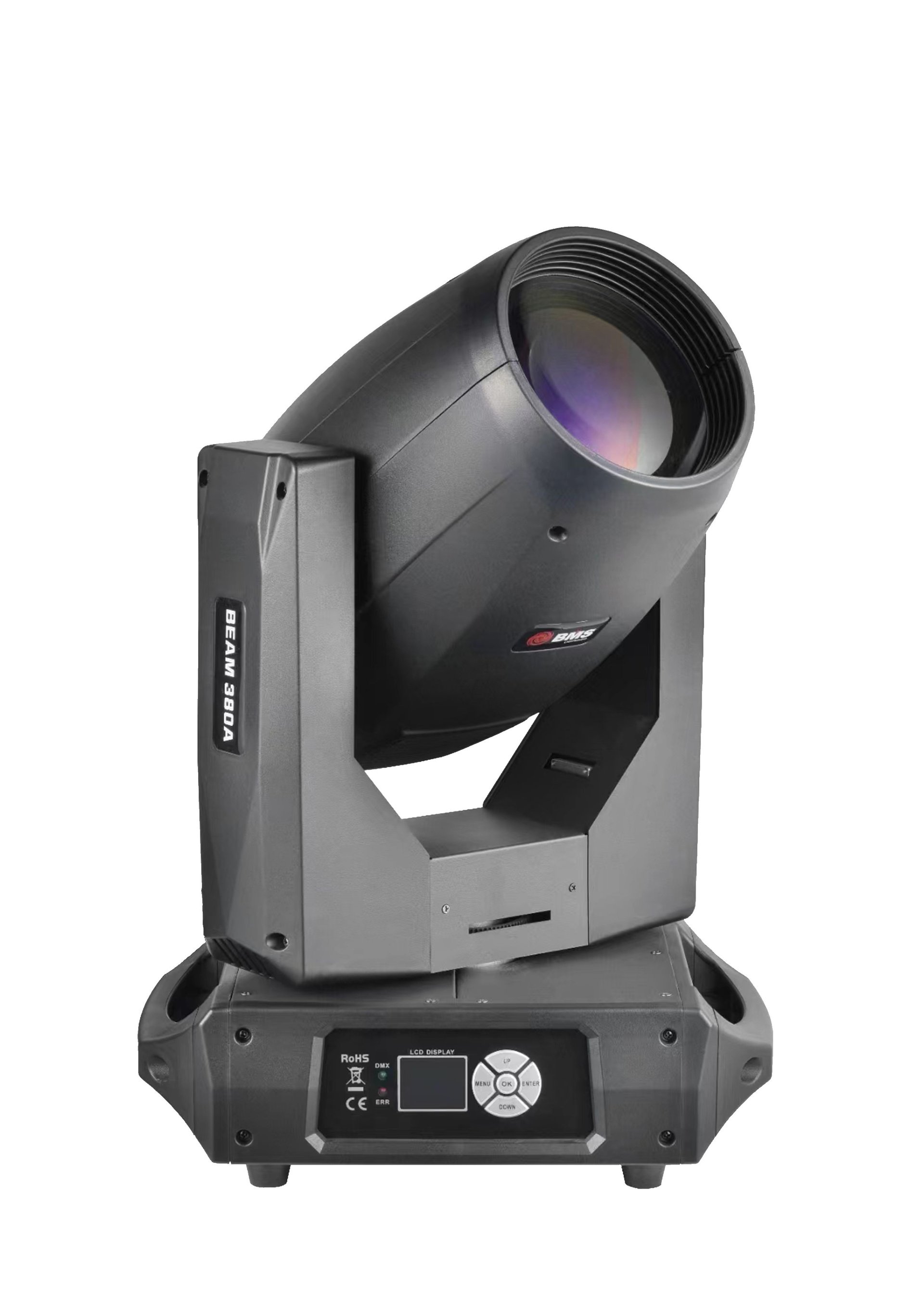 380 moving beam | 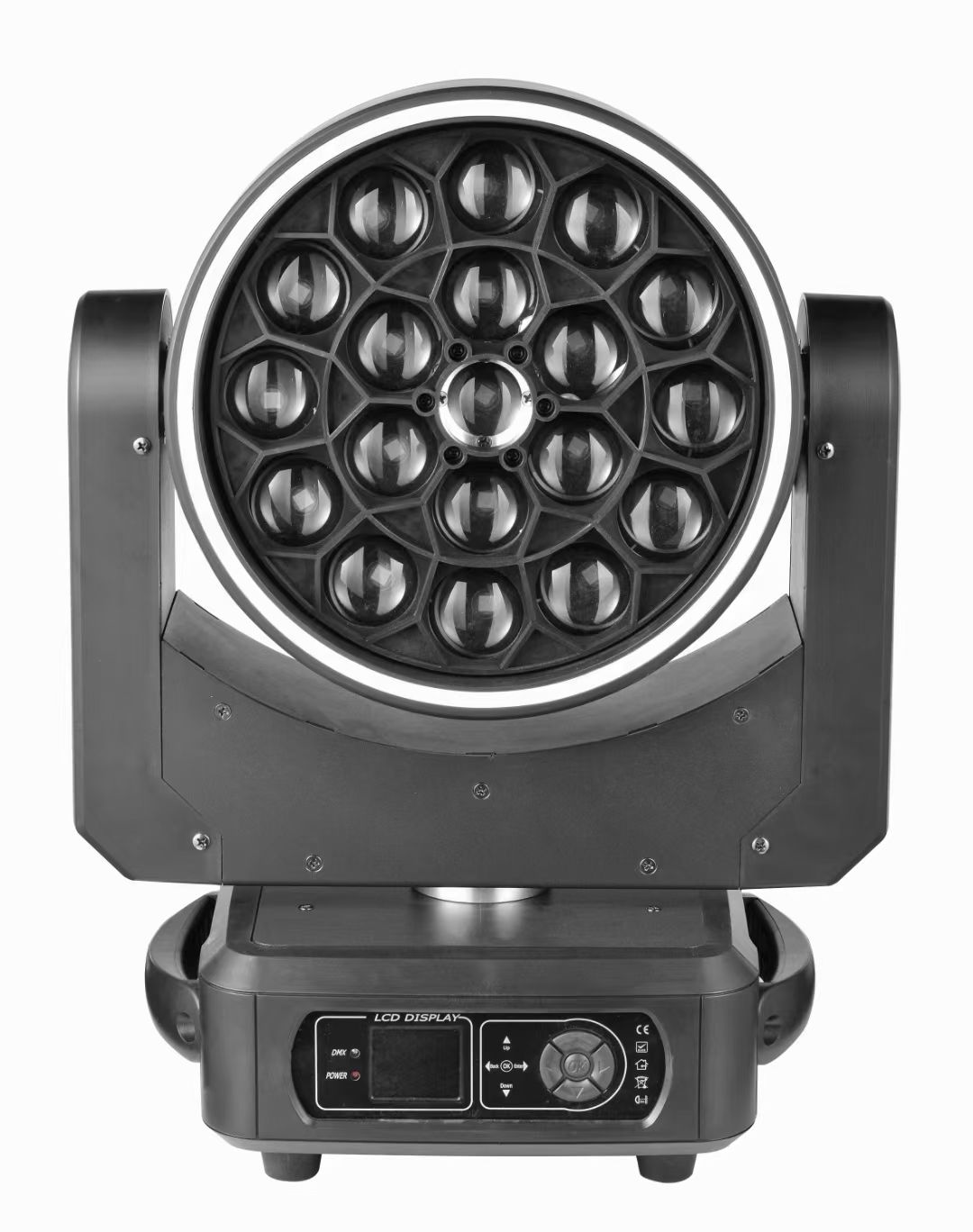 19×40W bee-eye | 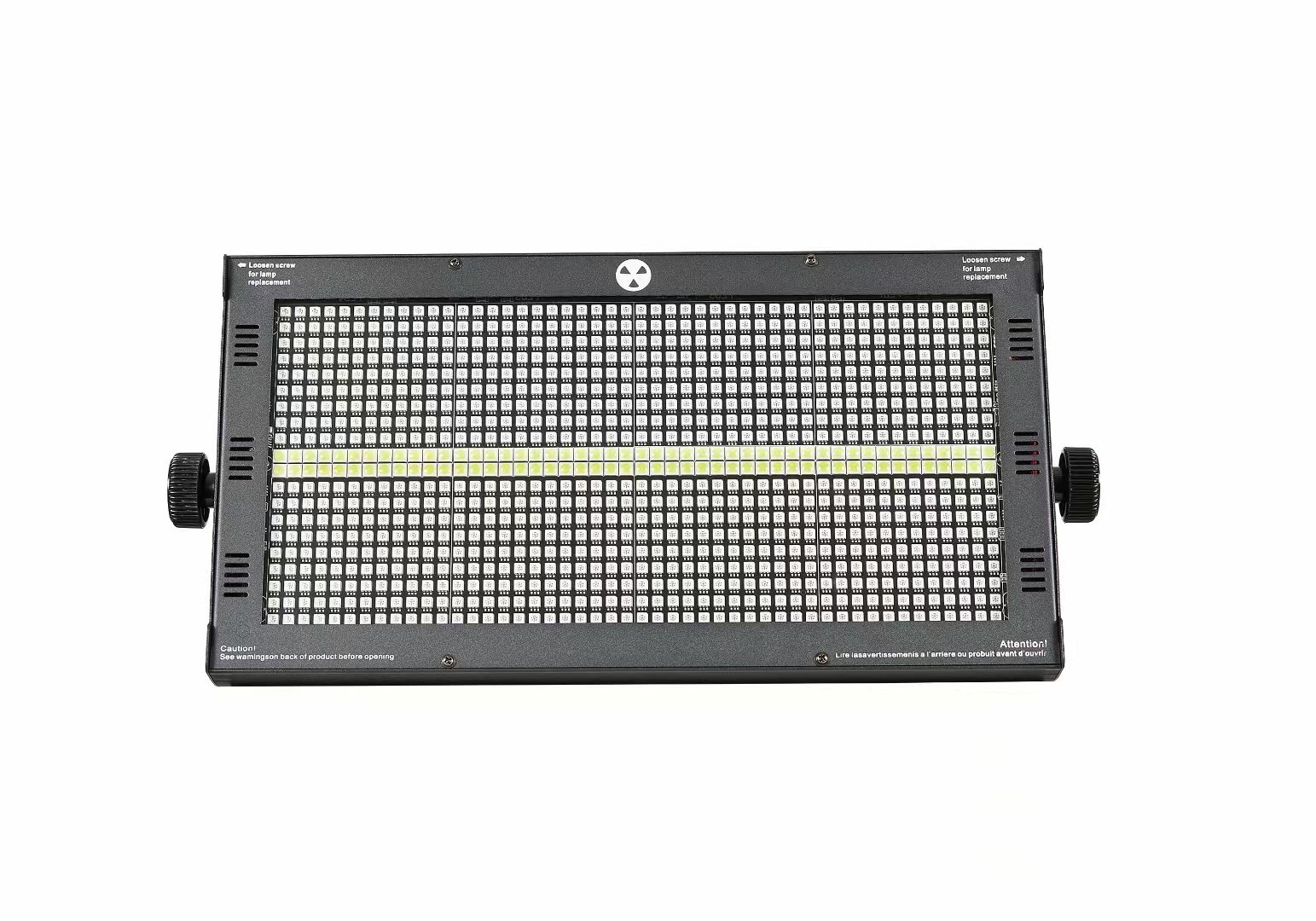 8+8 strobe |
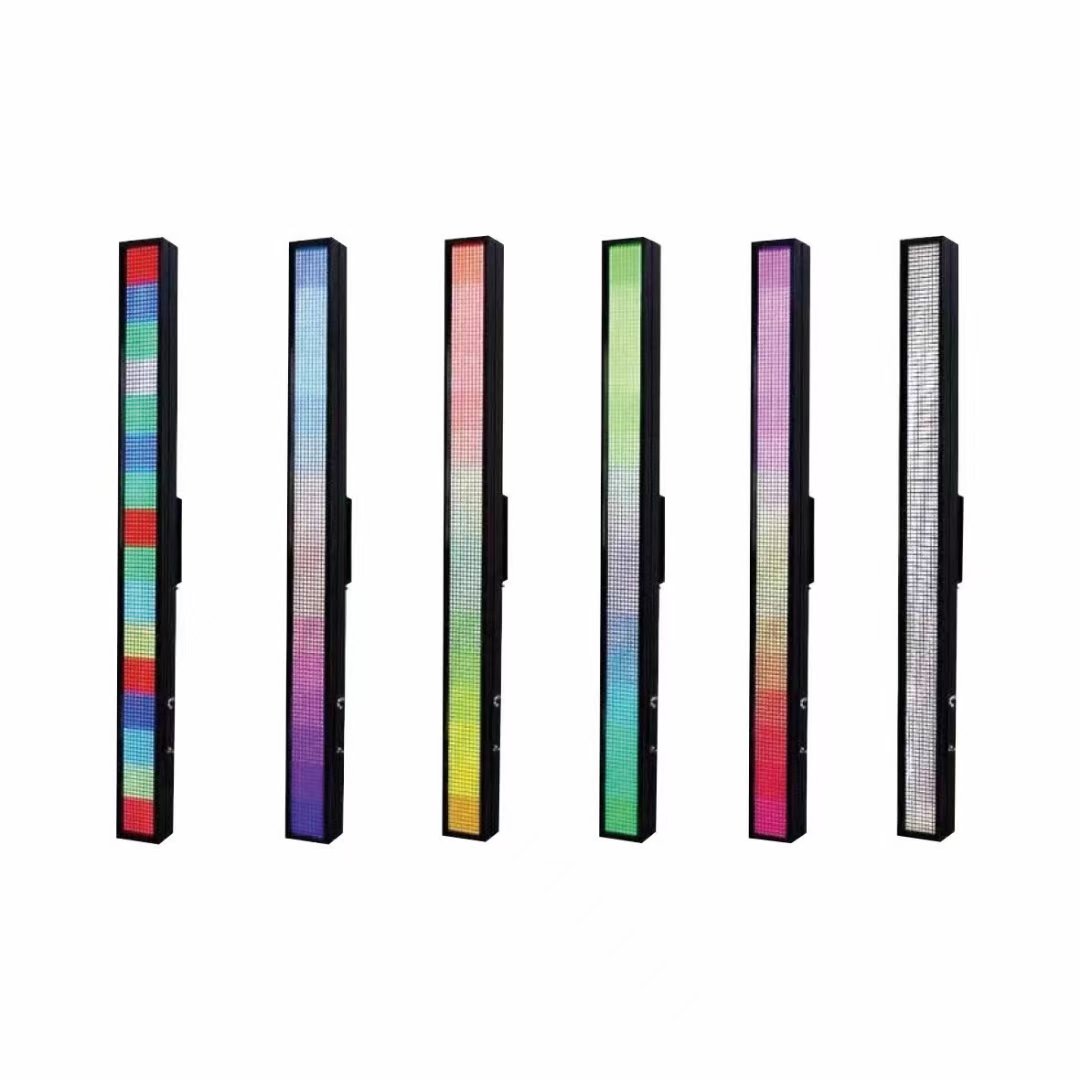 RGB linear strobe | 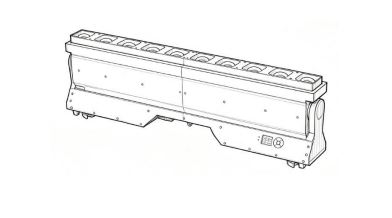 Rattlesnake bar |
3.3 Three Criteria for Picking a Mode
There is no standard answer — some designers prefer many channels for individual control, others prefer few channels with built-in programs. But three criteria narrow it down:
- Console type: MA consoles handle everything well — the only downside is price. Titan is less convenient for patching but equally capable. KingKong consoles are hostile to multi-channel fixtures — finding a function is often a struggle.
- Venue size and type: More channels mean more cable runs and control equipment, so budget matters. An RGB linear strobe doing washes and blats in a lounge bar runs fine on built-in programs; but in a dance club where the fixtures form a lighting structure, multi-channel adds effects and edge-outlining that make the structure pop.
- What the client actually wants: Clients rarely speak in channels — they describe effects. When built-in programs cannot deliver the requested look, multi-channel is the answer.
3.4 Special Cases Need Separate Handling
Compound fixtures such as the 12-head lifting infinite beam ring combine lifting, beams and pixelless color mixing, with extremely high channel counts (142 CH including the lifter) — only 3 units per universe. These must be wired and assigned universes separately, never mixed with ordinary fixtures.
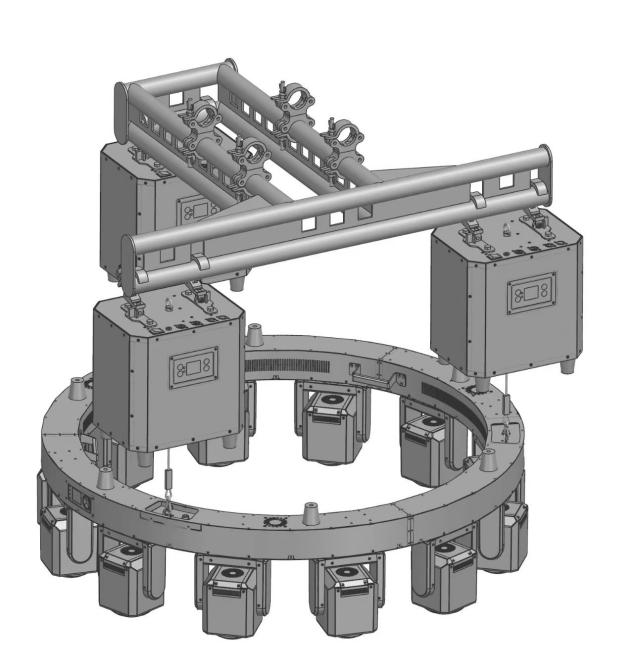 12-head lifting infinite beam ring | 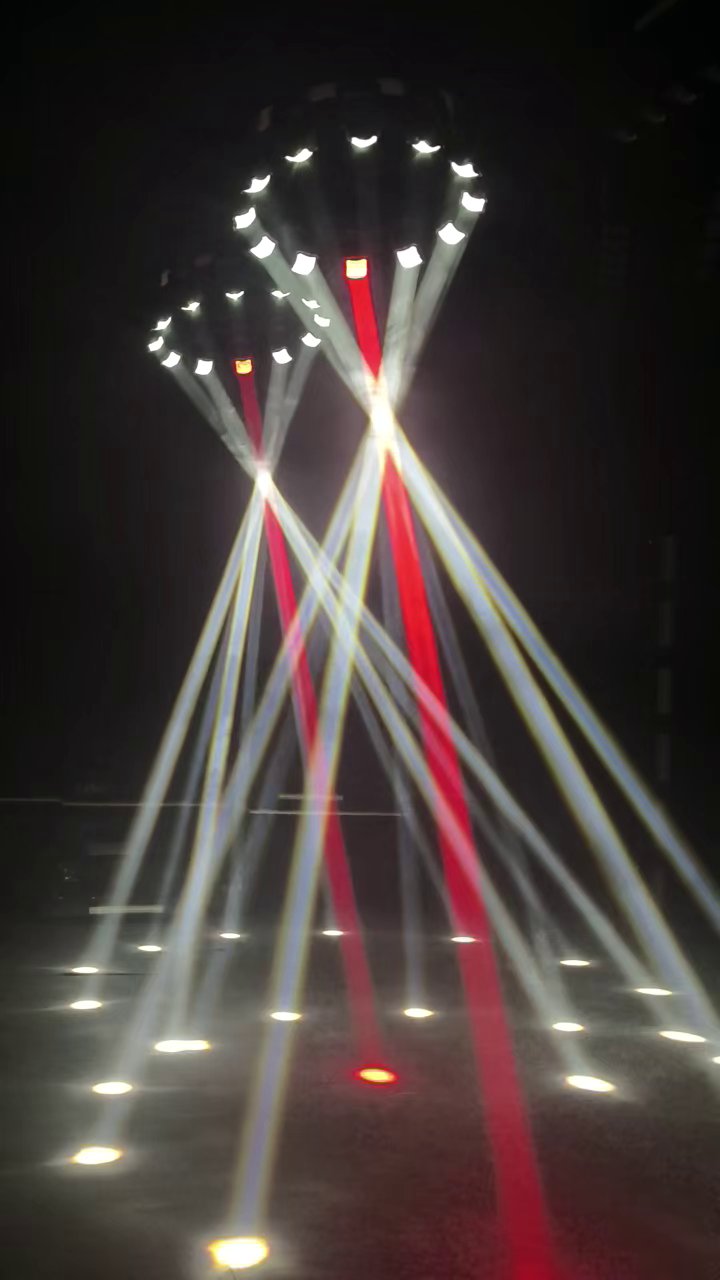 Lifting beam rings in action |
4. Sizing the Low-Voltage System
4.1 The Basic Method
- Determine the channel count of each fixture type;
- Add up the total channel count;
- Divide by per-universe capacity (theoretical 512; engineering practice reserves headroom and uses ~400) to get the number of universes;
- Divide universes by the universes per expander (usually 8) to get the number of expanders;
- Multiply expanders by output ports per unit to get the number of signal amplifiers.
4.2 Case 1: A Small Club
Given: 380 moving beams × 40, 19×40W bee-eyes × 30, 8+8 strobes × 65, rattlesnakes × 22.
- Channel counts: beam 16 CH, bee-eye 29 CH, 8+8 strobe 11 CH, rattlesnake 38 CH;
- Total: 3,061 channels;
- 3061 ÷ 400 ≈ 7.65, then ÷ 8 ≈ 0.95, round up → 1 network expander;
- 1 × 8 ports → 8 signal amplifiers.
The result: every fixture in the room can be individually controlled with effects and movement; the rattlesnakes support both single-fixture pixel control and chases.
4.3 Case 2: A Large Project — High-Channel Fixtures Must Be Segregated
A project totals 20,261 channels. On paper: 20261 ÷ 512 ≈ 39.6 universes, ÷ 8 ≈ 4.95 — 5 expanders and 40 amplifiers. The quick math looks fine, but reality is messier: the lifting beam ring is 142 CH with the lifter, so one universe holds only 3 units — and those universes will not absorb the RGB strobes. One universe ends up using just 426 channels, and the remaining 2 rings force another cable run. Any high-channel fixture should be split out onto its own runs first, then merged back into the overall calculation.
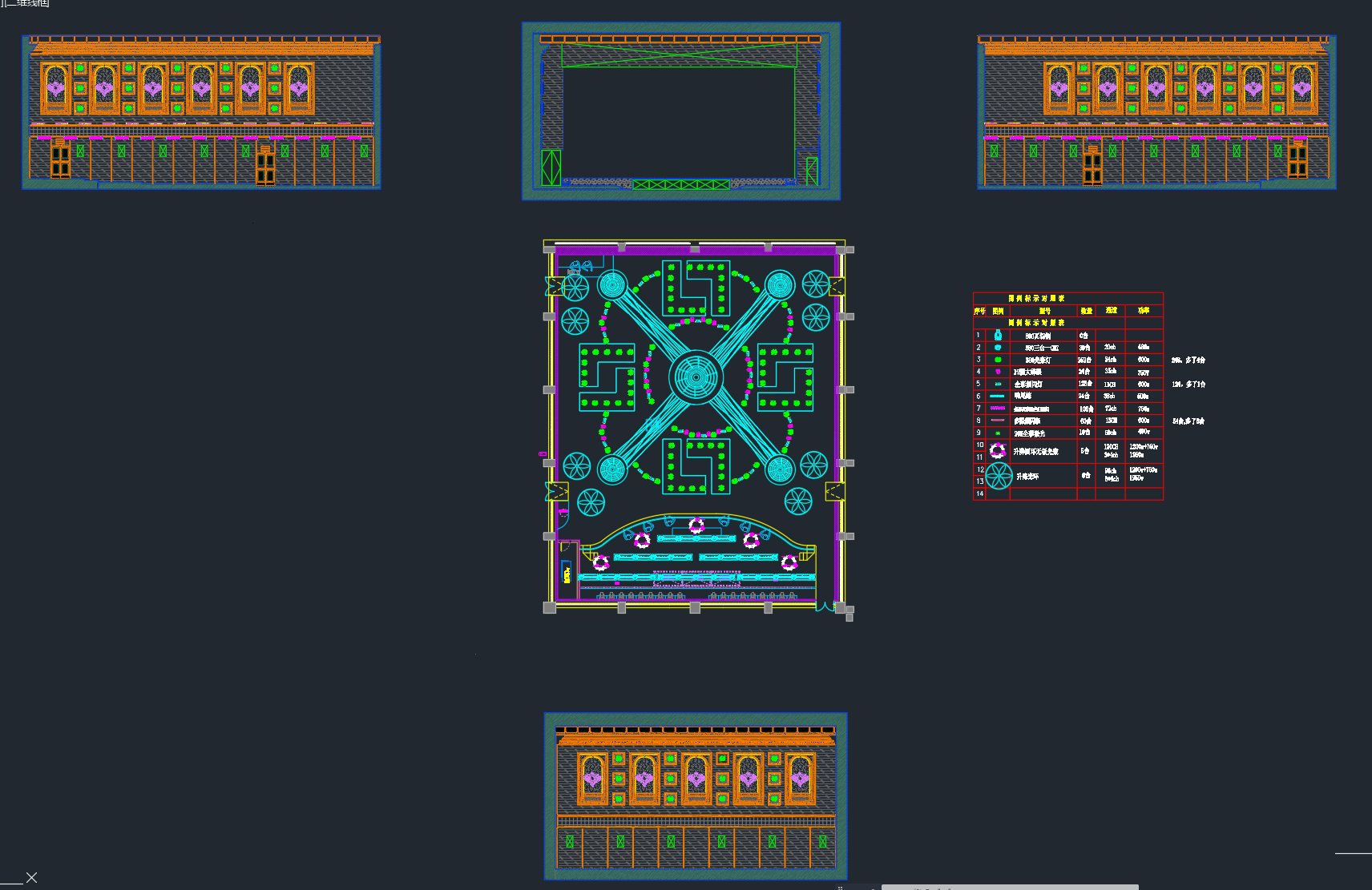 Project lighting plot | 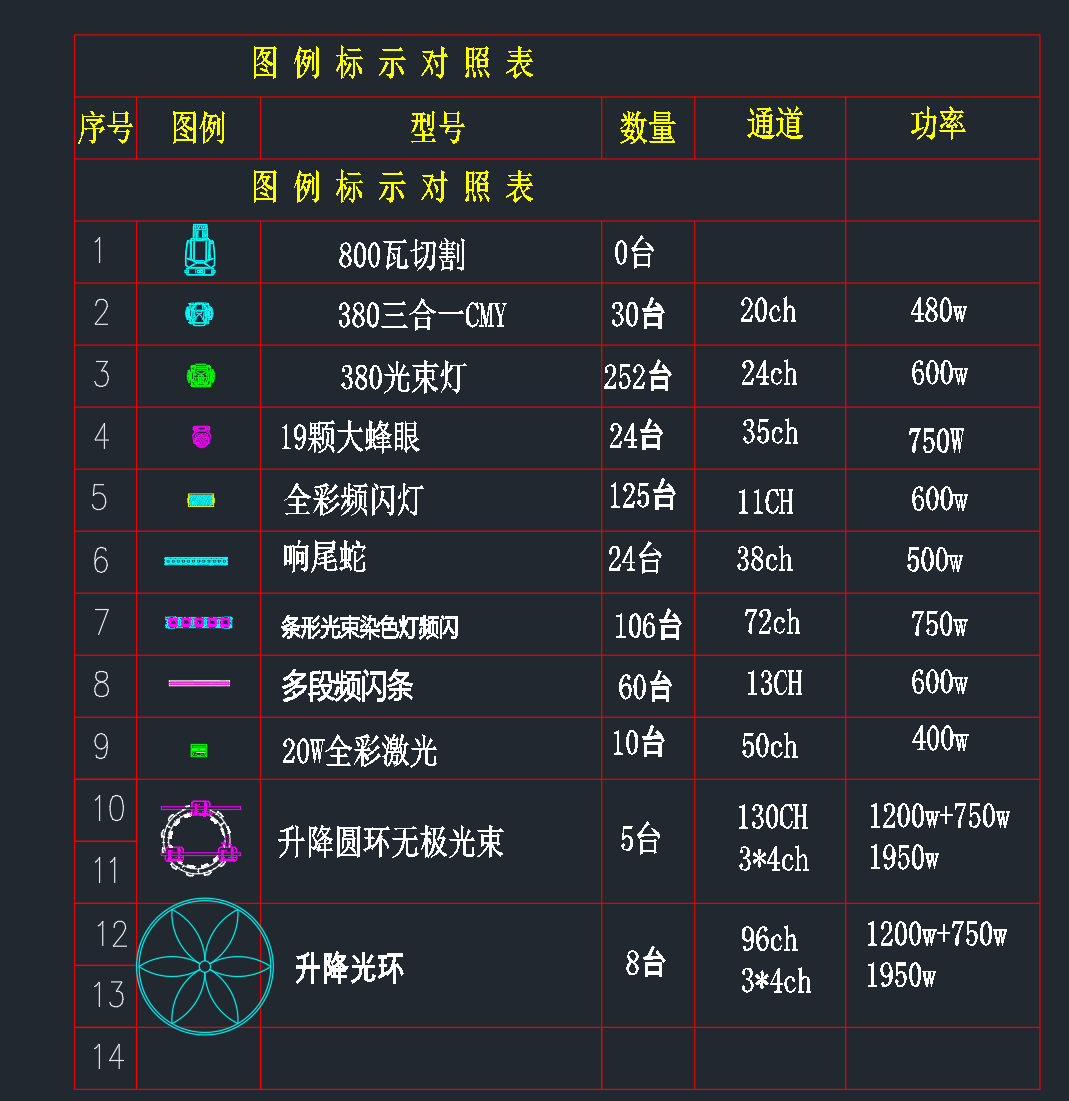 Legend & schedule (model / qty / channels / power) |
The revised plan: Tornado fixtures take 16 runs, lifting beam rings 2, lifting halos 3, everything else 22 — for a total of 6 expanders and 48 amplifiers, one expander and eight amplifiers more than the theoretical count.
4.4 Case 3: Venues with Motorized Rigging
When ceiling machinery and stage top-lighting rigging are motorized, the method changes: try to give each rigging unit its own universe. You can no longer size by channel count alone — count universes from the lighting plot, then work backwards to amplifiers and expanders.
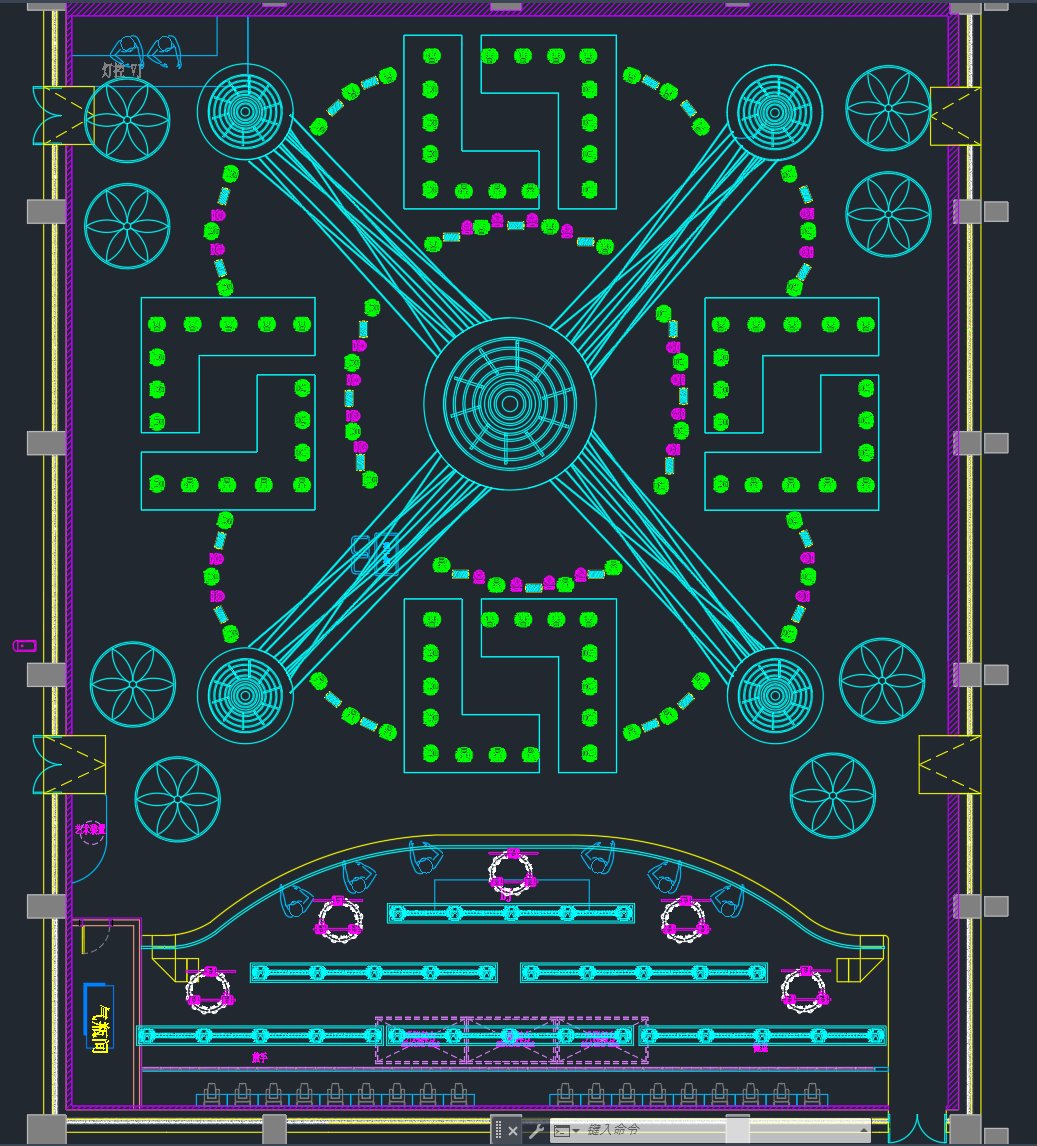
4.5 Case 4: Lessons from the Extreme
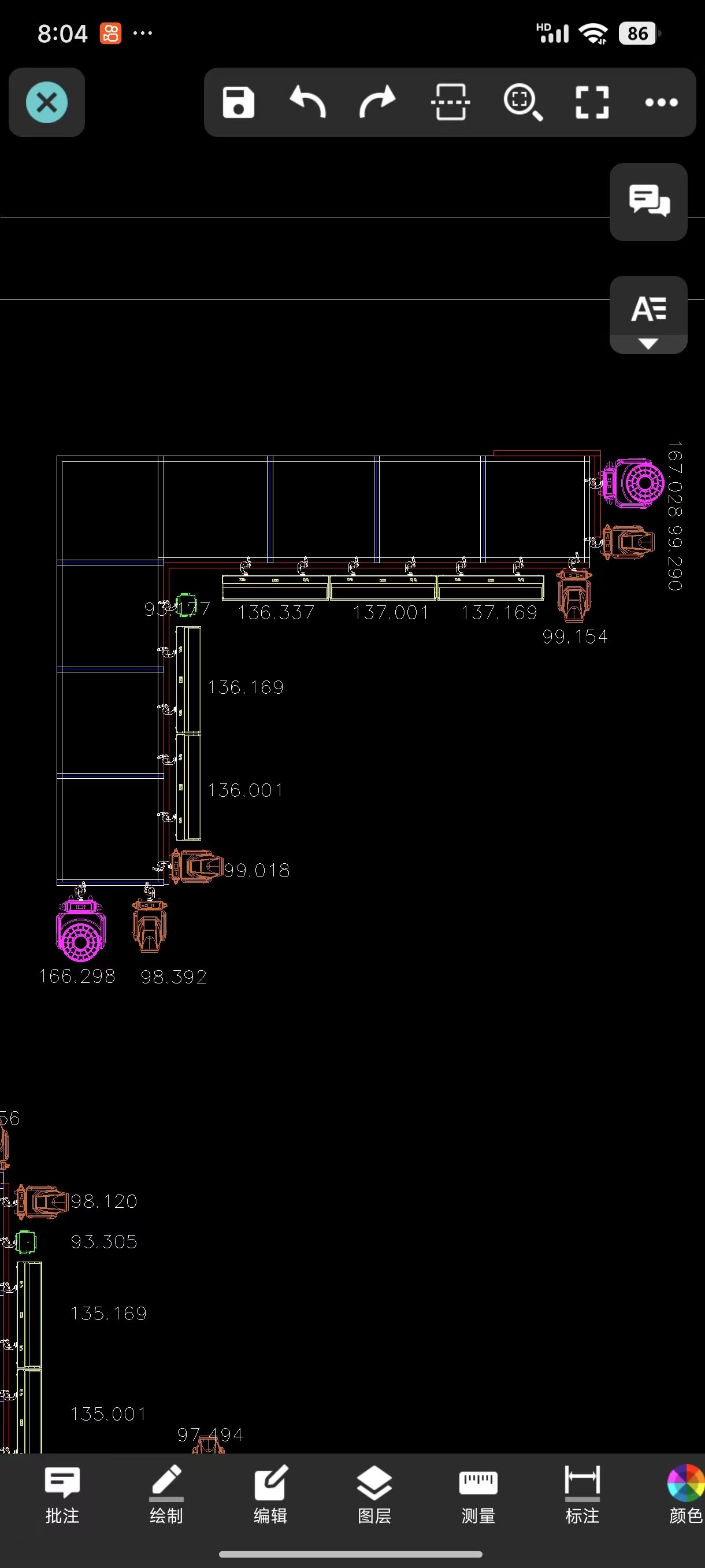
In the real world one project even ran 7 signal groups to a single rigging unit — extravagance squared. It still got built, because the lighting designer had finished the lighting show first and nothing could change; the manufacturer simply built to the drawings. Since all this equipment is invisible in the finished venue, there is no single right answer for standards or calculations — the client only ever sees the final quote and the final look. The lesson: get the low-voltage design in before the lighting design is locked, or the cost multiplies.
5. Five Takeaways for Your Next Project
- Count channels before you size equipment. Once the fixture list is set, the first task is the total channel count — not guesswork.
- Don't confuse expanding with amplifying. Need more universes? Add expanders. Need longer distance or more physical branches? Add amplifiers. They don't substitute for each other.
- Run high-channel fixtures separately. Lifting and compound fixtures waste enormous channel capacity when mixed into shared universes.
- Don't let universes idle. After sizing, re-check the system diagram to confirm every expander's 8 universes are in use.
- Order accessories early. Custom jumpers and correctly-lengthened power/DMX cables dramatically speed up installation and reduce field-crimping risks.
Planning a new venue or a retrofit? Send us your fixture list and our technical team will deliver a complete low-voltage system design with a full equipment schedule.